In-Sight Strobe Light Adapter Installation & Reference
9
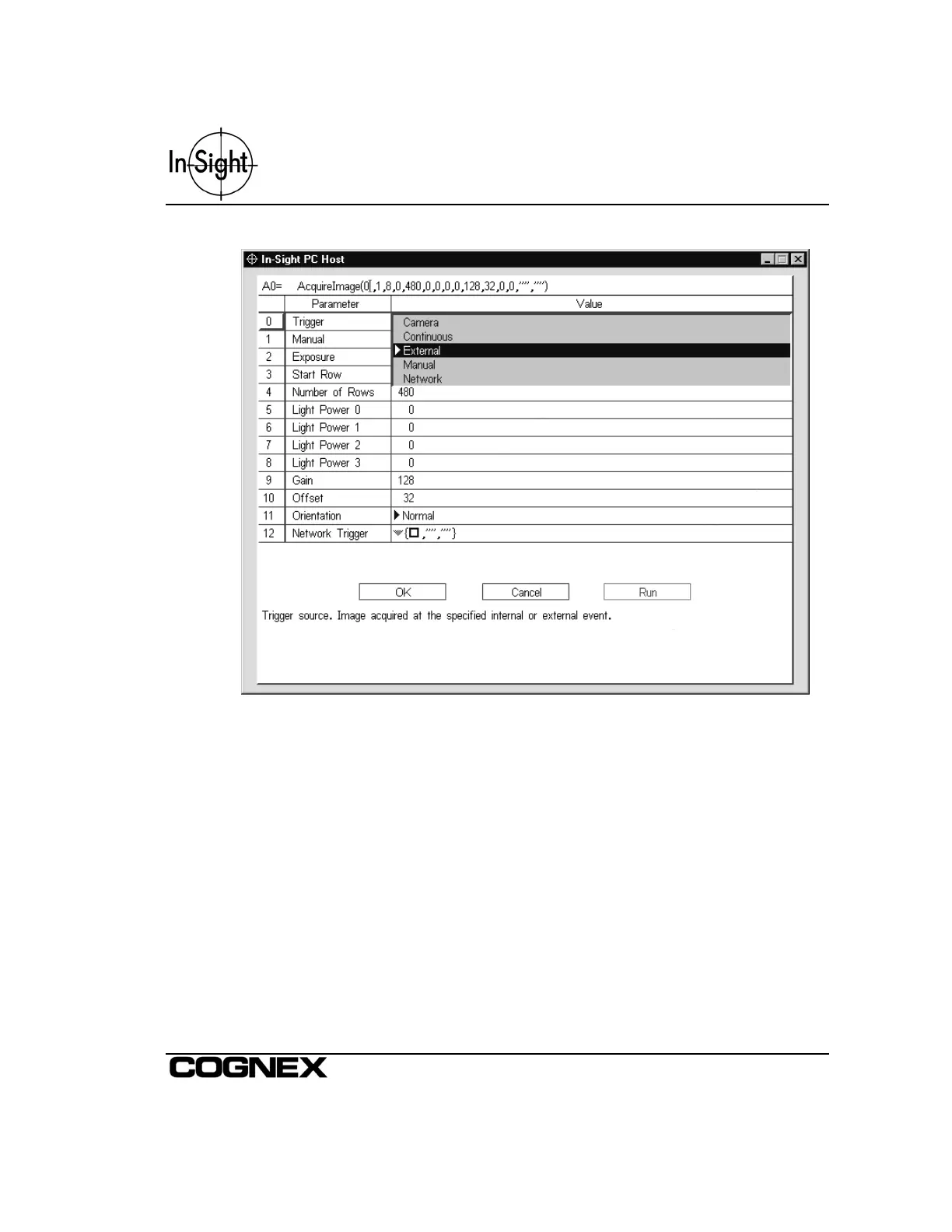
Figure 2-8: Selecting External as the Trigger Parameter
The In-Sight System can be software triggered in one of two ways:
• Manual
Trigger the In-Sight Camera manually by pressing the Trigger button on the Control
Pad or F5 from the keyboard. Remember to set the Trigger Parameter within the
AcquireImage function’s property sheet to Manual.
• Continuous
Set the Trigger Parameter within the AcquireImage function’s property sheet to
Continuous.



 To Next Page