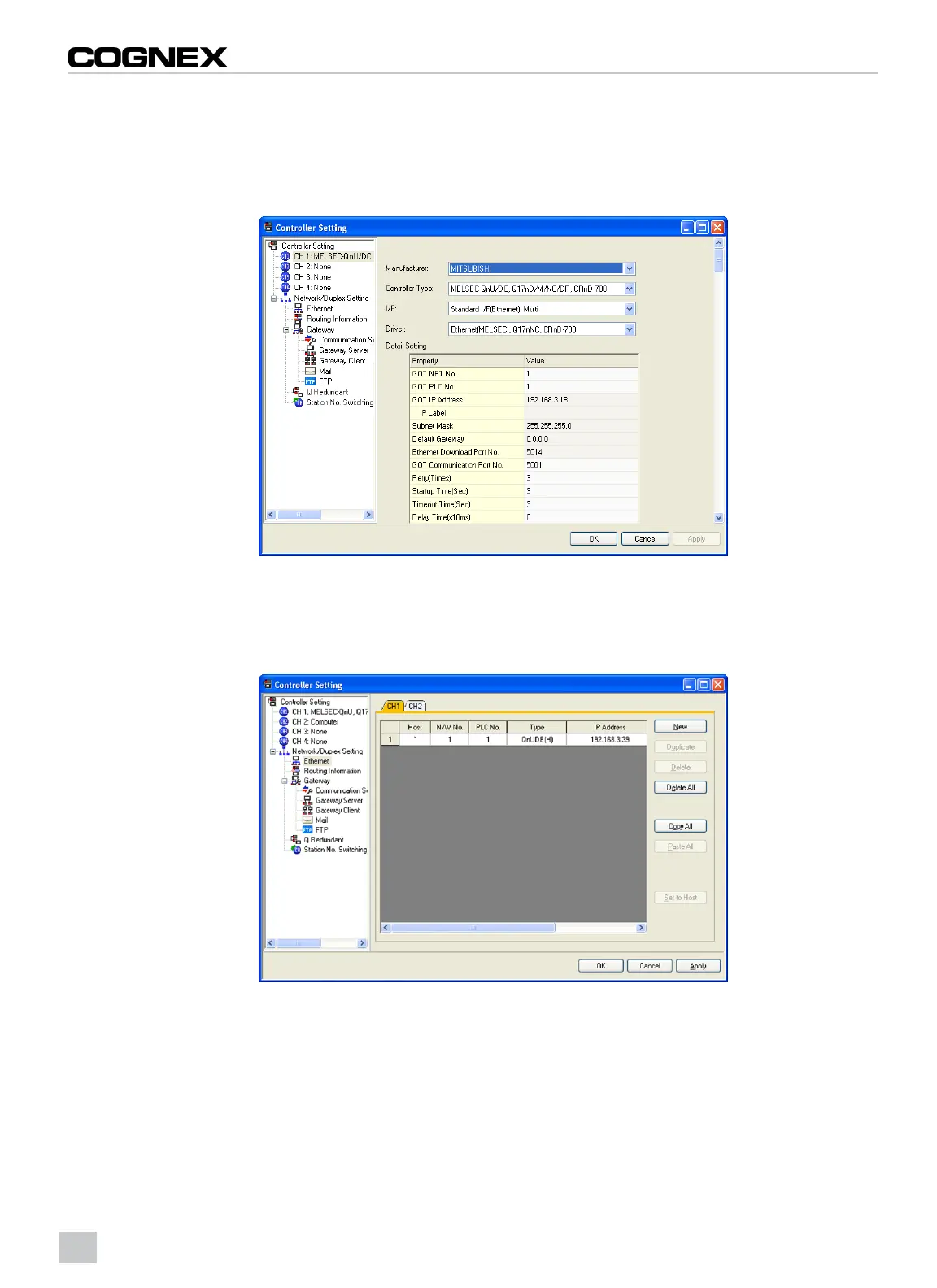
Controller Setting
1. From the Common menu, click Controller Setting…
2. The Controller Setting dialog appears. Select the manufacturer, controller type, GOT interface and
communication driver for the controller to be connected.
Figure 2-1: Controller Setting Dialog
3. Set the Ethernet address for the connection to the correct Ethernet adapter for your system. This example shows
the connection to the built-in Ethernet port on the QnUDE PLC.
4. Click the OK button.
Figure 2-2: Controller Setting Dialog: Ethernet
4



 To Next Page