12
REMINDER: THE TEXT
ON THE RIBBON
LEADER SHOULD BE
FACING OUT AND
VISIBLE
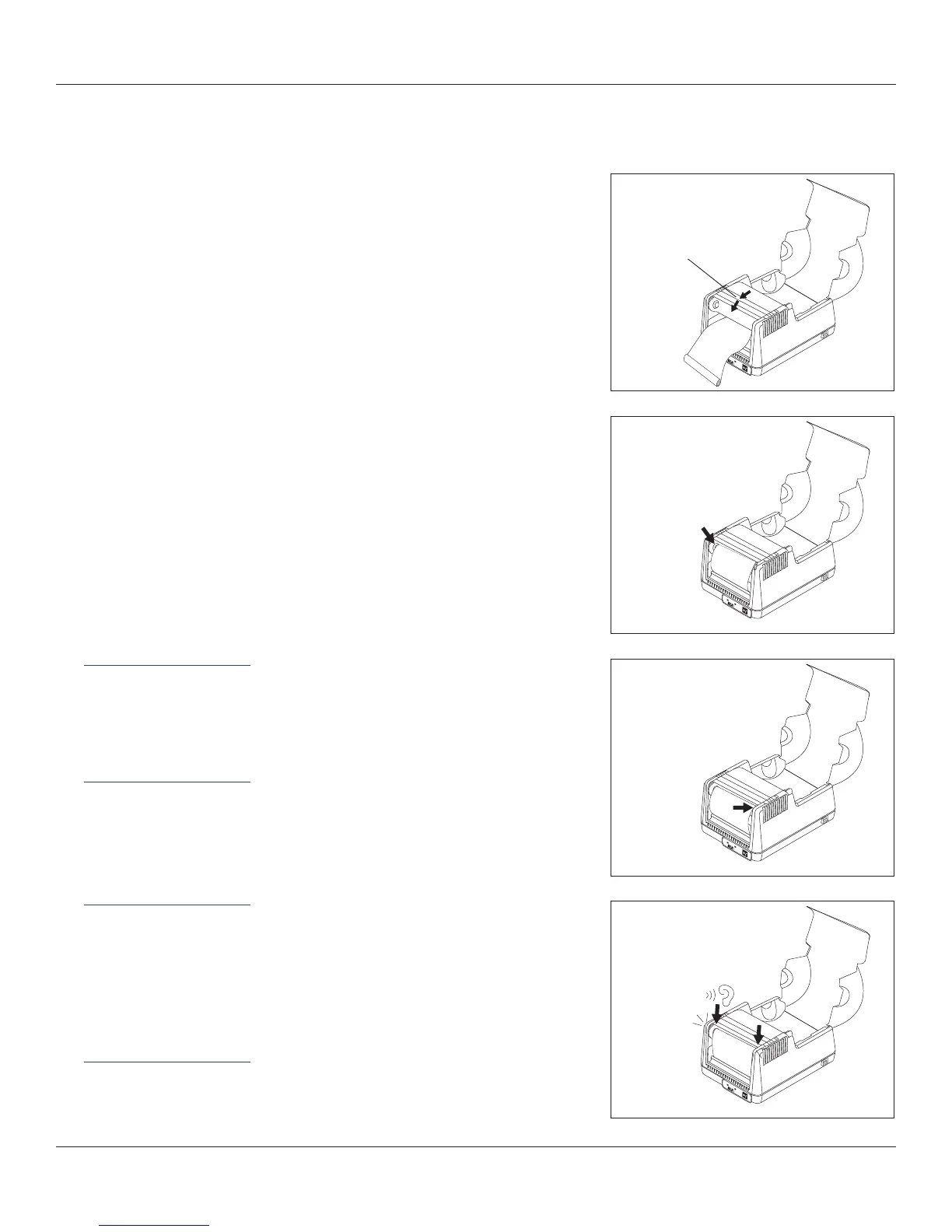
5. Gently lower the printhead but DO
NOT LATCH printhead at this time.
7. Gently pull the right ribbon take-
up mount and insert the right side
of the ribbon take-up core.
6. Align the notch on the left side of
the ribbon take-up core with the
left ribbon take-up driver.
Lower Printhead.
Do Not Latch
Printhead Mechanism
Click!
8. Latch both sides of the printhead
and turn the power on to take up
the slack in the ribbon leader.
HELPFUL TIP: IF
POWER IS ALREADY
ON, THE DLXI WILL
TAKE UP ANY EXCESS
RIBBON UPON
LATCHING THE
PRINTHEAD
Loading Thermal Transfer Ribbon (Continued)



 To Next Page