24
Chapter 4: Advanced DLXi Features
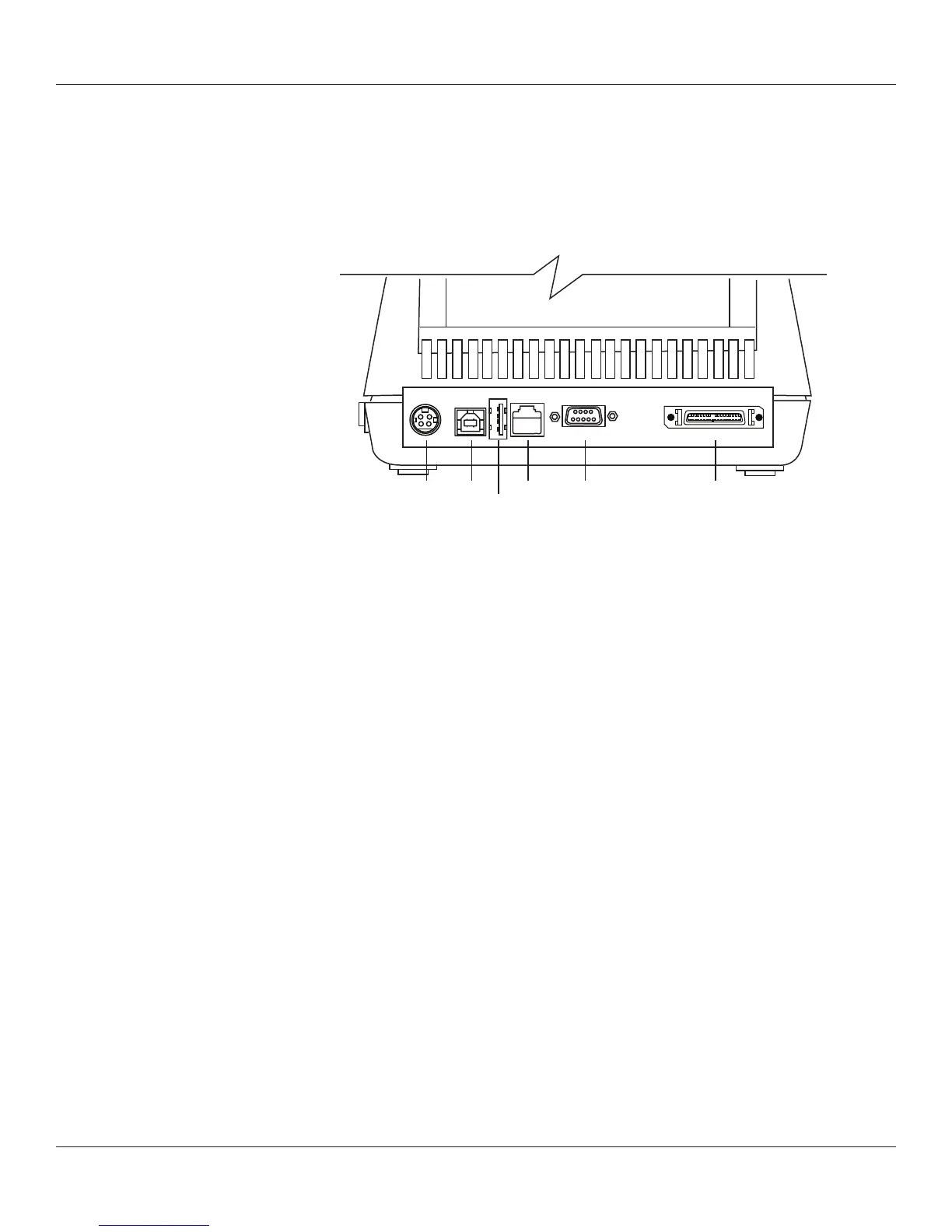
Each DLXi printer includes a USB-A (Host) port in addition to the USB-B (Device) port.
This feature allows for stand alone applications and set-up as described below.
Using USB Hubs, Keyboards, and Scanners
The printer supports USB hubs, keyboards, and scanners. Any USB hub, Windows
TM
keyboard, or number pad can be used with the USB-A port. Only USB scanners that
provide a keyboard-wedge interface can be used.
Keyboards and scanners can be used for menu navigation and data entry with menus
and stored formats.
Using a USB Flash Drive
This section describes use of a USB ash drive and the USB-A host port on the printer
to load rmware, objects, and settings to the printer using its USB-A connector. The
printer loads les in the following order: 1) Settings, 2) Objects, and 3) Firmware.
DC USB-B Ethernet Serial 9-pin Mini-Centronics
USB-A (DTE Device) Parallel 1284-C
4-inch DLXi with USB, Serial, Parallel, and Ethernet



 To Next Page