5
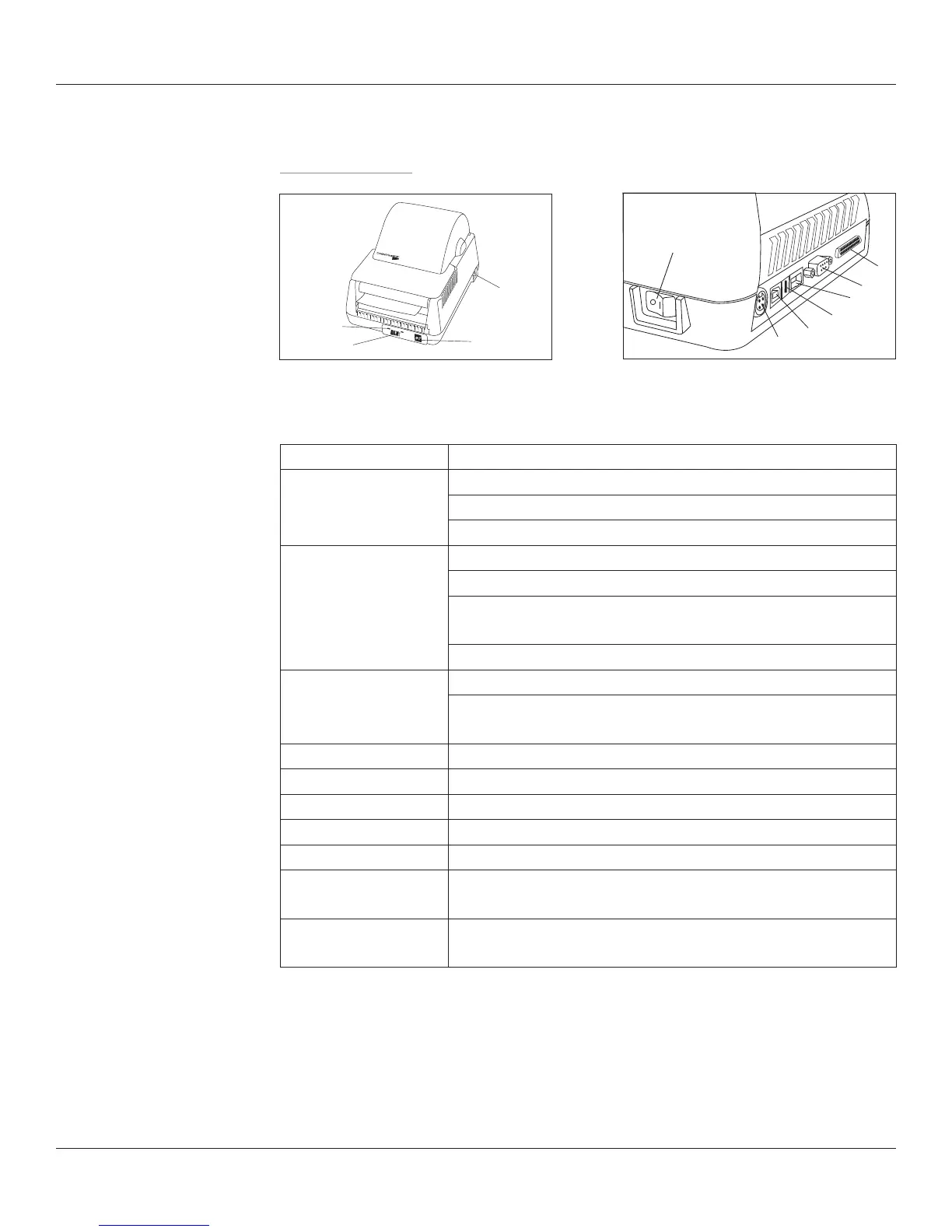
Printer Feature Overview
Front/Rear View
Component Function
A - Power Indicator Indicates power status
ON – printer on and ready to print
OFF- no power applied
B - Ready Indicator Indicates printer status
GREEN – printer ready to accept data
RED – printer error, empty media roll, or paused operation
during batch mode processing
OFF- no power applied
C - Feed Button Press to advance media
Press and hold while turning unit on to initiate self test and
print conguration label
D - On/O Switch Turns printer power On/O
E - Power Connector Input for auto-ranging power supply
F - USB B Port USB Device bidirectional communications port
G - USB A Port USB Host port for peripheral input or USB ash drive
H - Ethernet Port 10/100 Ethernet port
I - Serial Port Serial (DB9) bidirectional communications port - DTE device
(Use null modem cable)
J - Parallel Port Parallel (1284-C 36-Pin Mini-Centronics) unidirectional
communications port
A
B
C
D
D
E
J
F
G
H
I
Front View Rear View
USB-A, USB-B, Serial, Parallel, Ethernet
(4-inch Model Shown)



 To Next Page