INSTRUCTION MANUAL FOR DISHWASHERS
Page 5 of 10
GB
Chap 4 MACHINE USE
To simplify the description of the various functions, the layout of the control panel is shown below,
with the name of each key or indicator light and the corresponding numbers. The figures to which
reference is made are included and the beginning of the manual. In the description of the operation
of the machine, reference is always made to these numbers or names.
4.1 Legend and symbol
Fig.1
shows:
1
ON/OFF
BUTTON
6
SHORT CYCLE INDICATOR LIGHT
2
PROGRAMME SELECTION BUTTON
7
TEMPERATURE INDICATOR LIGHT
3
START BUTTON
8
REGENERATION INDICATOR LIGHT (**)
4
POWER ON INDICATOR LIGHT
9
LONG CYCLE INDICATOR LIGHT
5
DRAIN CYCLE INDICATOR LIGHT(*)
10
INFORMATION
DISPLAY
(*) Only in versions with drain pump. (**) Only for versions with softener.
Indicator light off Indicator light blinking Indicator light on
°C
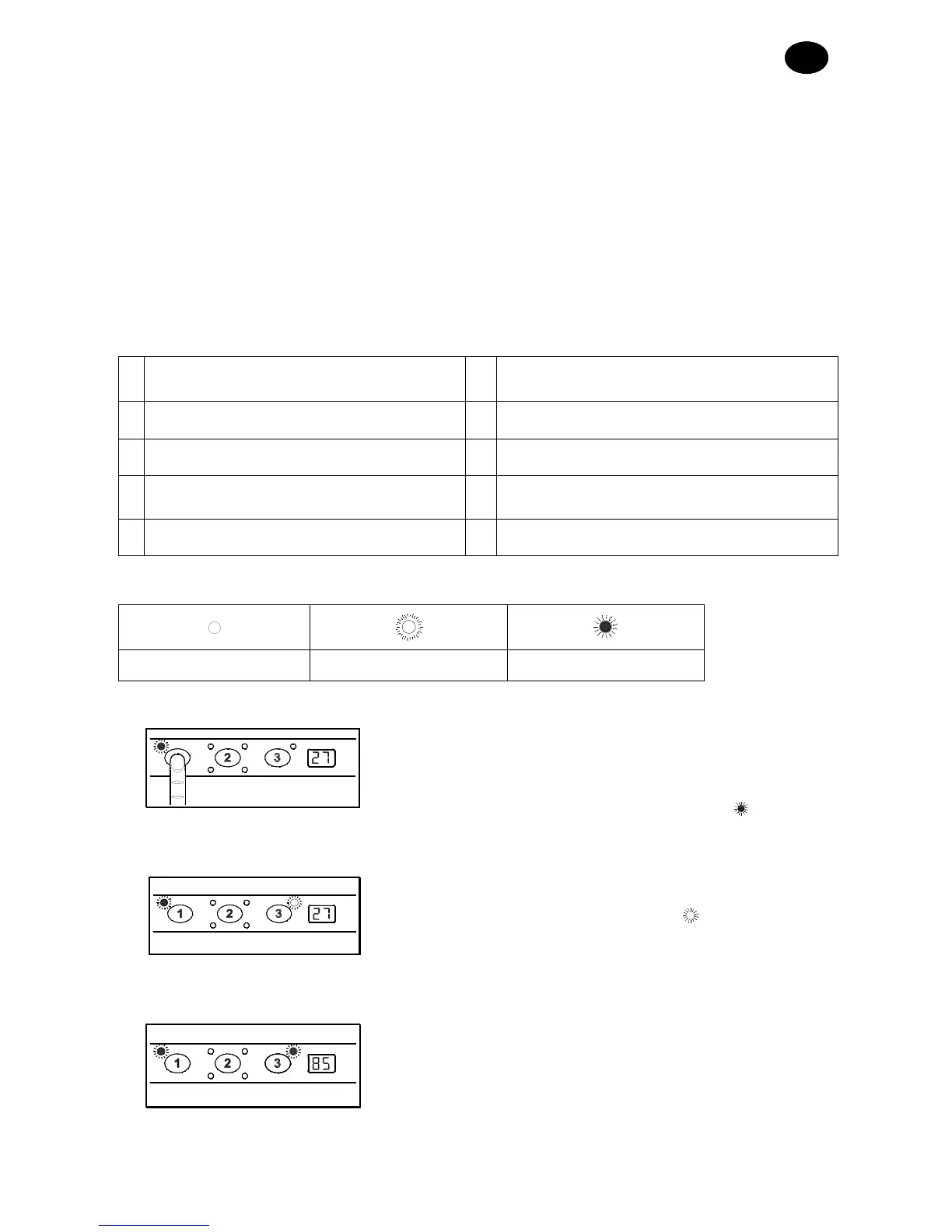
4.2 Starting
• Turn on the main electrical switch and open the external
water tap.
• Check the presence of the overflow.
• Press the ON/OFF key (1)
as shown alongside (the
POWER ON indicator light (4) will come on
).
°C
• The machine starts filling automatically, the indicator light
for the TEMPERATURE (7) flashes
, until the working
level is reached.
°C
• The DISPLAY (10) shows the boiler temperature.
• When the TEMPERATURE INDICATOR LIGHT (7)
comes on, it means that optimal wash conditions have
been reached.


 To Next Page
 Loading...