12 13
16
Automatic print
head cleaning
The e-mark
®
create cleans the print head automatically. The intensity of
cleaning increases the longer the e-mark
®
create is not used. When you
take the e-mark
®
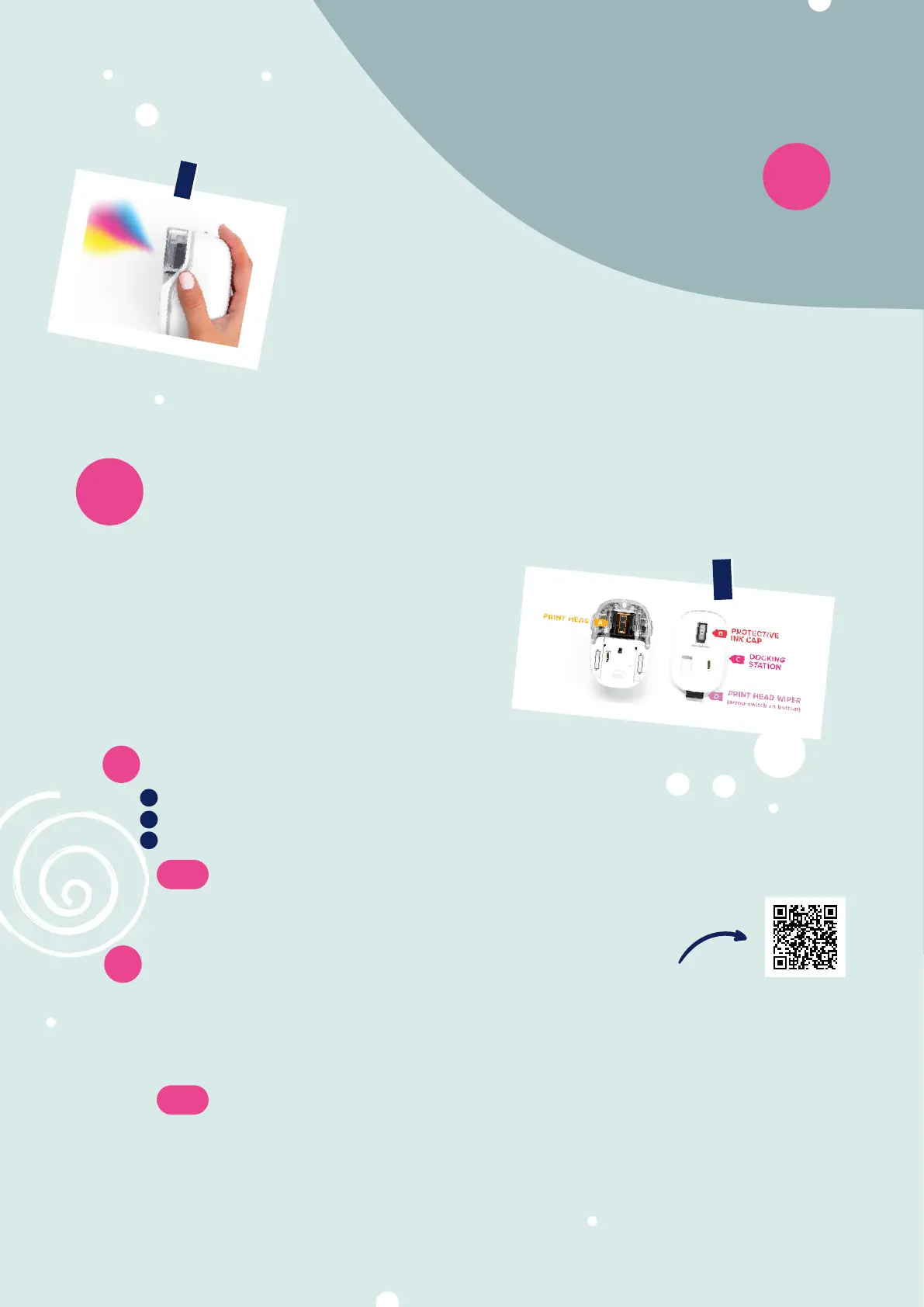
create from the docking station, hold it briefly in the air
and wait for ink to disperse, put on paper and print. Do not point towards
the eyes, face or skin.
Manual print head
17
& docking station cleaning
If the imprint quality is not satisfactory
anymore (e.g. smears, colours not clear,
red print instead of black,…), manual print
head cleaning might be necessary. There
are 2 ways to do that.
17.1
Start print head cleaning manually in the app
Go to settingssettings
You will find a button
Start quick cleaning Start quick cleaning
Click on the button and follow the instructions in the app
17.2
Clean the print head and docking station
To clean your print head and docking station manually, use a damp lint-free piece of cloth. It is
important that the cloth is only moved from the top of the print head to the bottom to avoid
colour smears.
All the plastic parts of the e-mark
®
create can be easily cleaned with a moistened cloth.
1
2
3
Note:
You need an active Wi-Fi connection to your e-mark
®
create for cleaning.
Note: Only use pure water without cleaning agent to clean your e-mark
®
and print head!
13


 To Next Page