Positioning
12
of the imprint
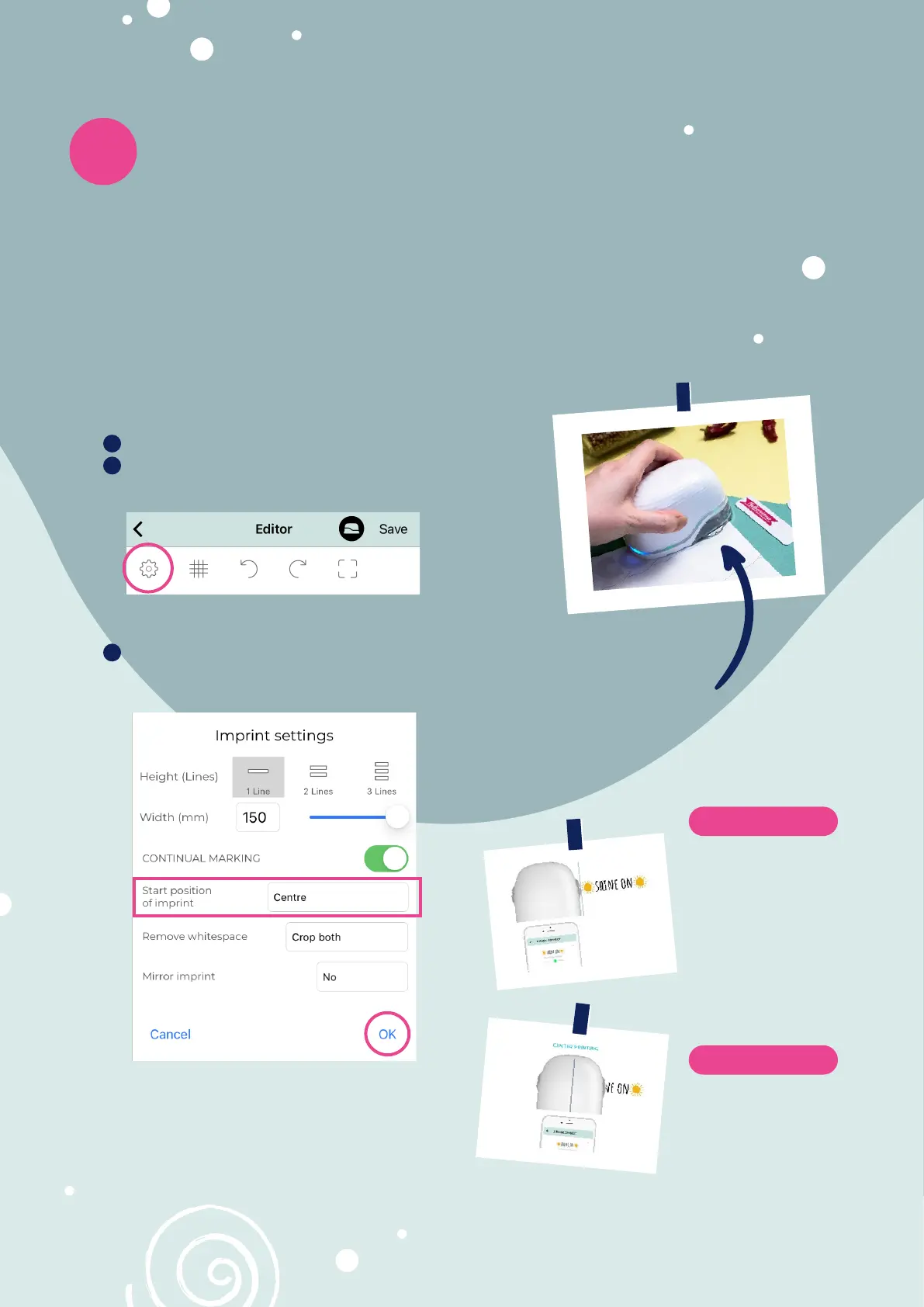
Notches on both sides of the e-mark
®
create, which indicate the middle of the im-
print, help to position your imprint precisely in predefined spaces.
You can further choose between lateral and center starting position in the app for
better positioning.
Go to the editor and create your design
Click on the
settingssettings icon in the top left corner
Select centrecentre or laterallateral under Start positonStart positon of imprintof imprint and press okok
means that the
e-mark
®
create
will start printing
after the markings
on the side of the
e-mark.
Lateral positioning
on the other hand
means that the
e-mark® create
already starts printing
from the middle.
Centre positioning
8 9
1
2
3
Notch



 To Next Page