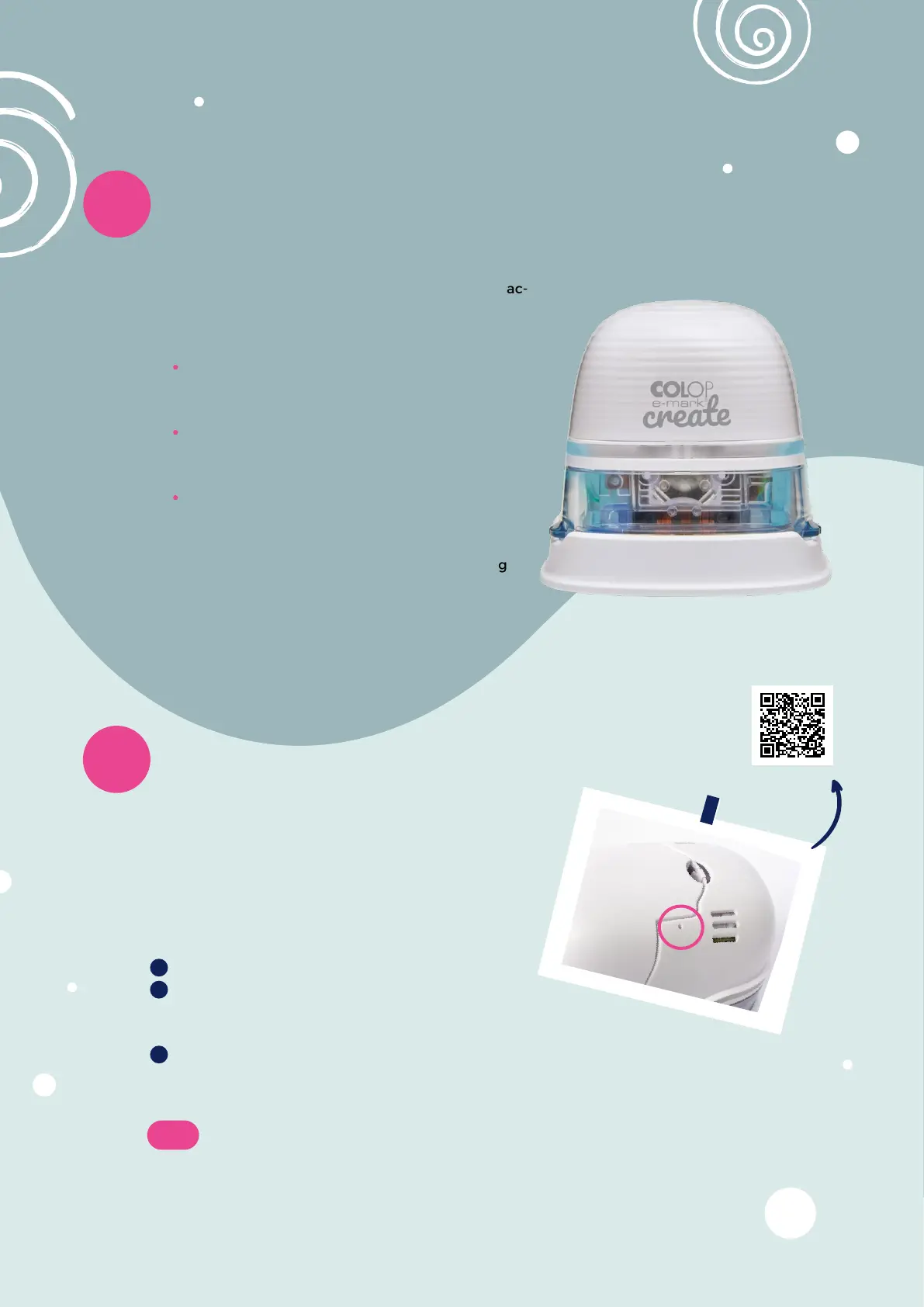
In case you do not remember your SSID and
password and cannot find your Quick Setup Guide
anymore, you need to do a reset. The mobile printer
has to be turned on to carry out a reset.
20
Reset e-mark
®
Open the cover
On the top right, beside the battery, you
will find a small hole. Use a paper clip or similar thin item to
press inside this hole for several seconds.
It will be restarted and brought to its initial state. Then print on a blank piece of
paper. On the imprint you will find your e-mark’s initial SSID and password.
Note:
If you reset your e-mark
®
create the stored imprint is deleted.
The e-mark
®
create beeps to communicate with the
user in order to help him understanding certain ac-
tions.
Whenever an imprint is successfully trans-
mitted to the e-mark
®
create or an imprint is
finished, the device beeps.
When making a two- or three-line imprint, the
beeps of the e-mark
®
create tell you when to
change direction and move to a new line.
When the e-mark
®
create keeps beeping
and blinks red, this is a warning to put the
e-mark
®
create into its docking station.
Otherwise the print head may dry out, causing
bad imprint quality.
If you do not like the sound of the e-mark
®
create, it can be turned off in the settings.
19
e-mark
®
sounds
14 15
1
2
3


 To Next Page