CALOR 40 Manual Page 18 (total 27) COMAC CAL s.r.o.
backlight is turned on. After a few minutes from the last press of any of the buttons, the
display backlight is turned off and the first line of the basic menu date and time is displayed.
The <> button is used for viewing the data in the current menu. The M button is used for
moving to submenu. Returning from submenu is carried out by the longer press of the M or
<> buttons. The long press of the M button always results in returning to basic menu to date
and time menu item. The long press of the <>button results in returning to one level back if it
is possible.
User settings are performed by CALOR40-setup software via USB interface.
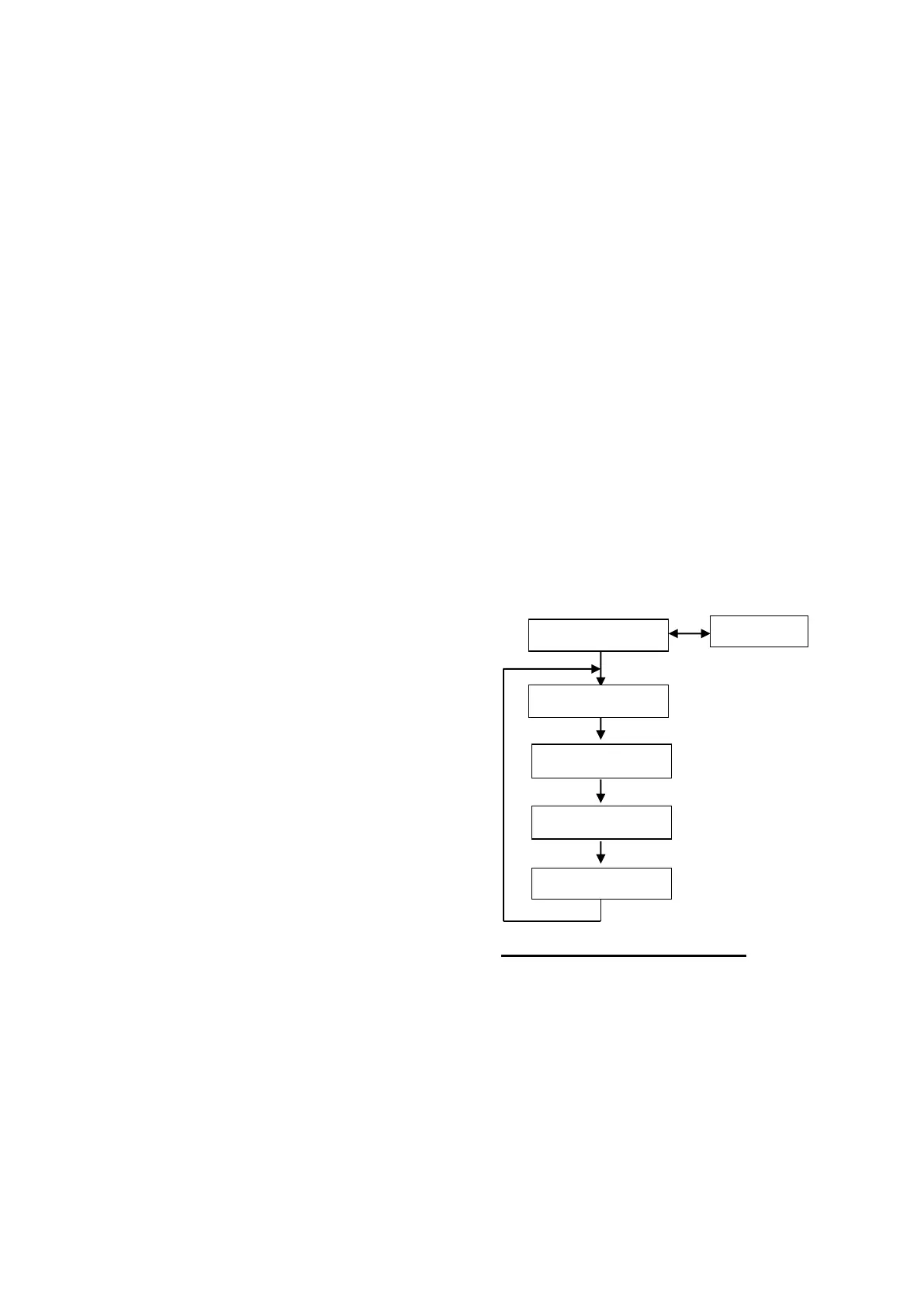
MENU structure
Menu is divided into 5 basic menu items:
1) Basic menu and its submenu:
Basic menu: Submenu (button M):
Date and time None
E [GJ] Em, Etar1, Etar2, Etar3 [GJ]
V [m
3
] Vin1, Vin2, Vm, Vin1m,Vin2m [m
3
]
Tp [°C] Tpmax+time [°C], [hr]
Tv [°C] Tvmax+time [°C], [hr]
dT [°C] dTmax+time [°C], [hr]
Q [m
3
/h] Qmax+time [m
3
/h], [hr]
P [kW] Pmax+times [kW], [hr]
2) Monthly archives menu: Menu bloc diagram
Em [GJ]
Etar1m [GJ]
Etar2m [GJ]
Etar3m [GJ]
Vm [m
3
]
Vin1m [m
3
]
Vin2m [m
3
]
Monthly downtime [Days-hrs]
3) Daily Archives Menu:
Ed [GJ]
Vd [m
3
]
Tpmax+time [°C], [hr]
Tvmax+time [°C], [hr]
dTmax+time [°C], [hr]
Qmax+time [m
3
/h], [hr]
Pmax+time [kW], [hr]
Daily downtime [hrs]
4) Settings Menu:
Serial number
DN
Version
Year of examination
Location
Meter's address
Baud rate
Description of control buttons:
Left button <> – Listing
Right button M – Selection of individual
menus



 To Next Page