InteliLite 4 MRS16 Operator Guide
12
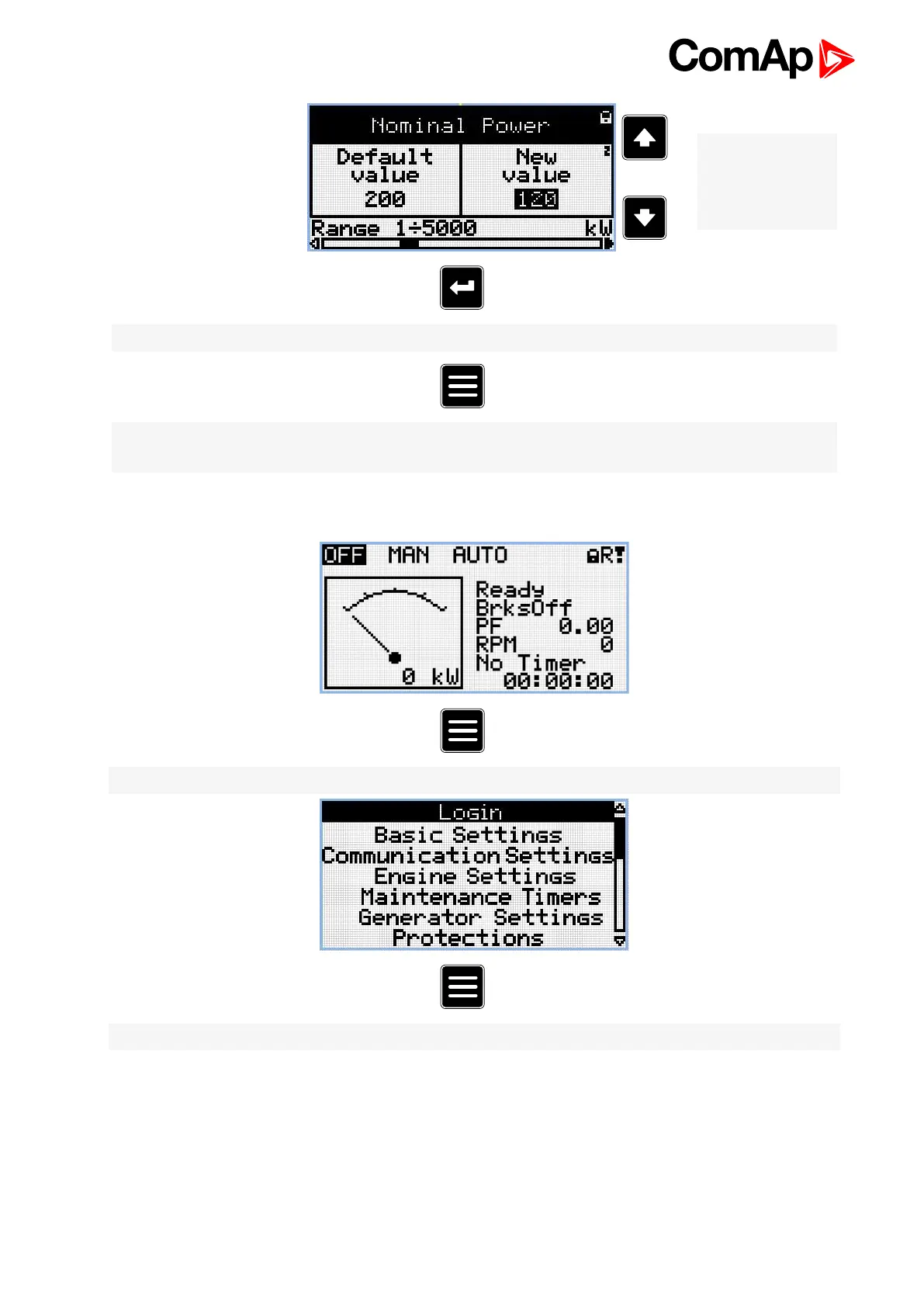
Note: Use Up and
Down button to set
required value of
selected setpoint.
Note: Use Enter button to confirm adjusted value of setpoint.
Note: Use Page button to discard changes, to set setpoint to previous value and to return to the list of
setpoints of selected group.
2.4 History Log
Note: From all measurement pages we can fluently go to the setpoint group page by pressing Page button.
Note: From setpoint group page we can fluently go to the history log pages by pressing Page button.












 To Next Page