InteliLite 4 MRS16 Operator Guide
17
3 Browsing alarms
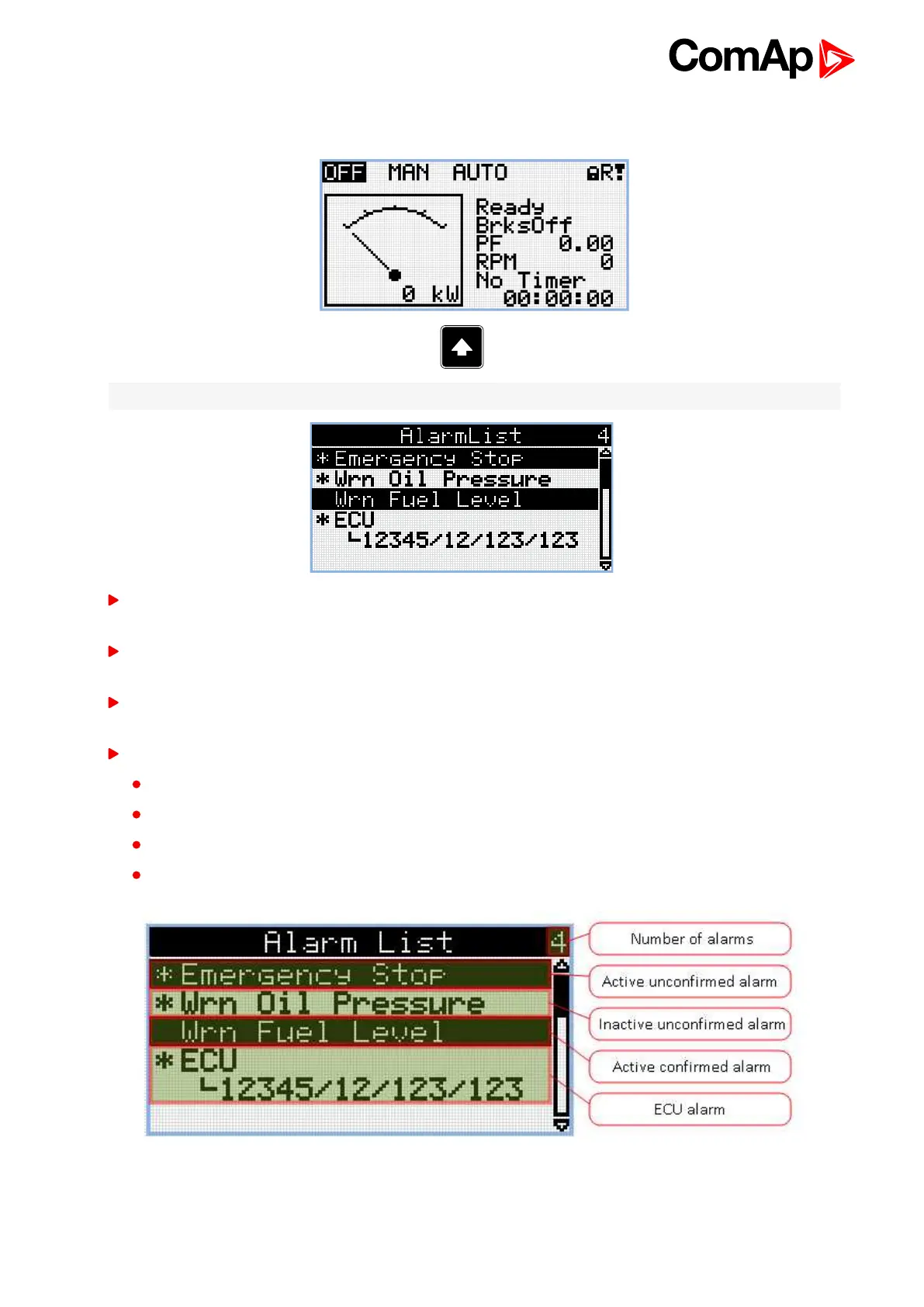
Note: Use Up button to move to alarmlist from main measurement screen.
Active alarms are displayed as white text on black background. It means the alarm is still active, i.e. the
appropriate alarm conditions are still present.
Inactive alarms are displayed as black text on white background. It means the alarm is no more active, i.e.
the appropriate alarm conditions are gone.
Not confirmed alarms are displayed with an asterisk. It means the alarm is still not acknowledged
(confirmed).
ECU alarms: SPN/FMI/OC/SC
SPN – Suspect parameter number
FMI – type of protection
OC – number of errors
SC – source of error












 To Next Page