!
!
INSTALLATION PROCEDURE (GOOSENECK)
1. Ensure that the gooseneck is installed according to manufacturer specifications.
2. Ensure that there are no obstructions in the gooseneck that can prevent the electric
wire from being passed through the goose neck.
Always work on a clean dry surface as water and dust may damage
internal components of the unit.
3. Once the unit has been removed from the packaging installation can begin.
Installation
4. Put the unit on a level surface with the numeric pad facing upwards.
5. Unlock the unit.
6. Lift the unit so that is stands on its base.
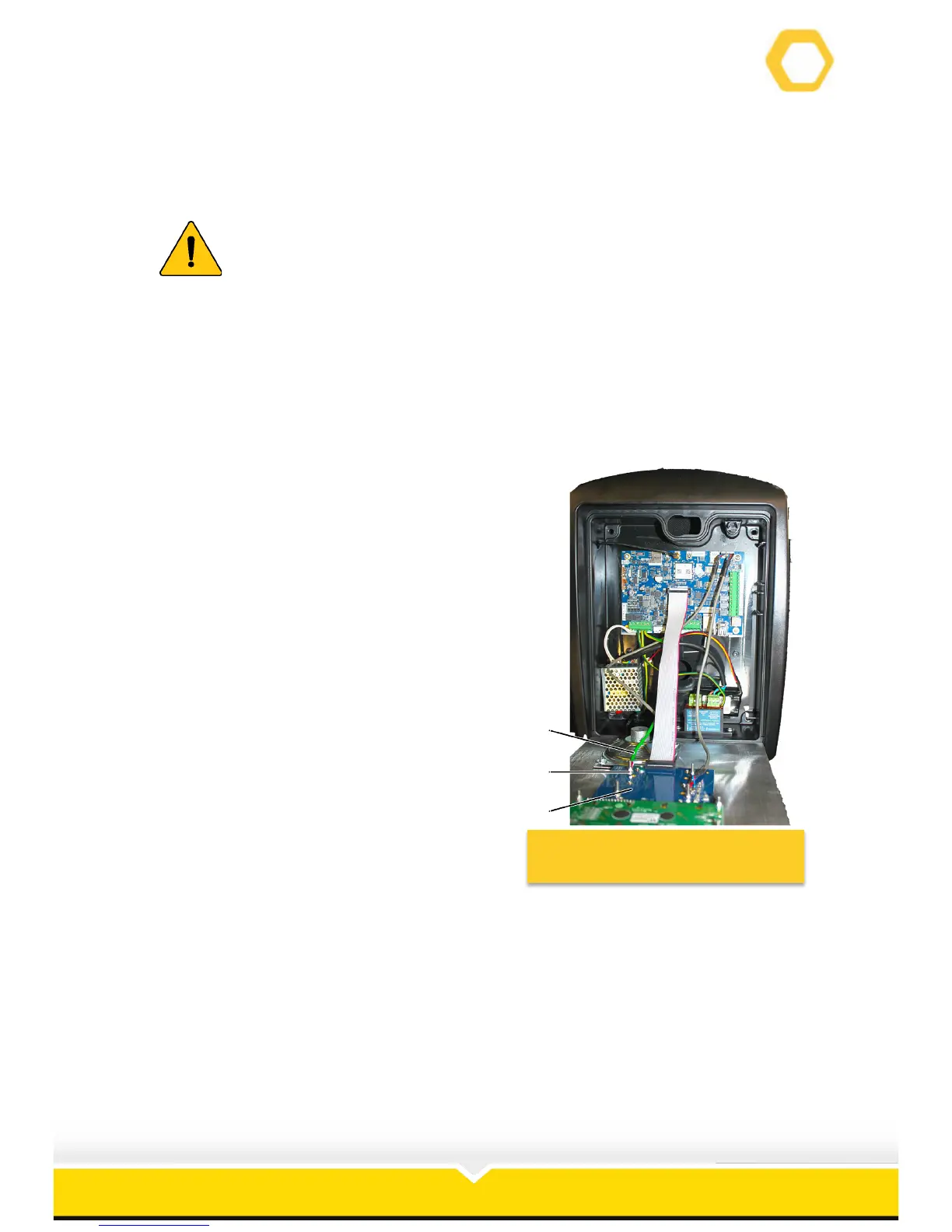
7. Disconnect the speaker earth wire (1) using a
5.5 mm nut drive; remove the nut (2)
securing the earth wire from the Keypad/LCD
Assembly (3).
Figure 5: Disconnect Front Cover
Earth Wire


 To Next Page