EQUIPMENT MANUAL FOR SP-2110
SP-2110 QE
Copyright - refer to title page
Page 24
ENU Status : 1-3-1
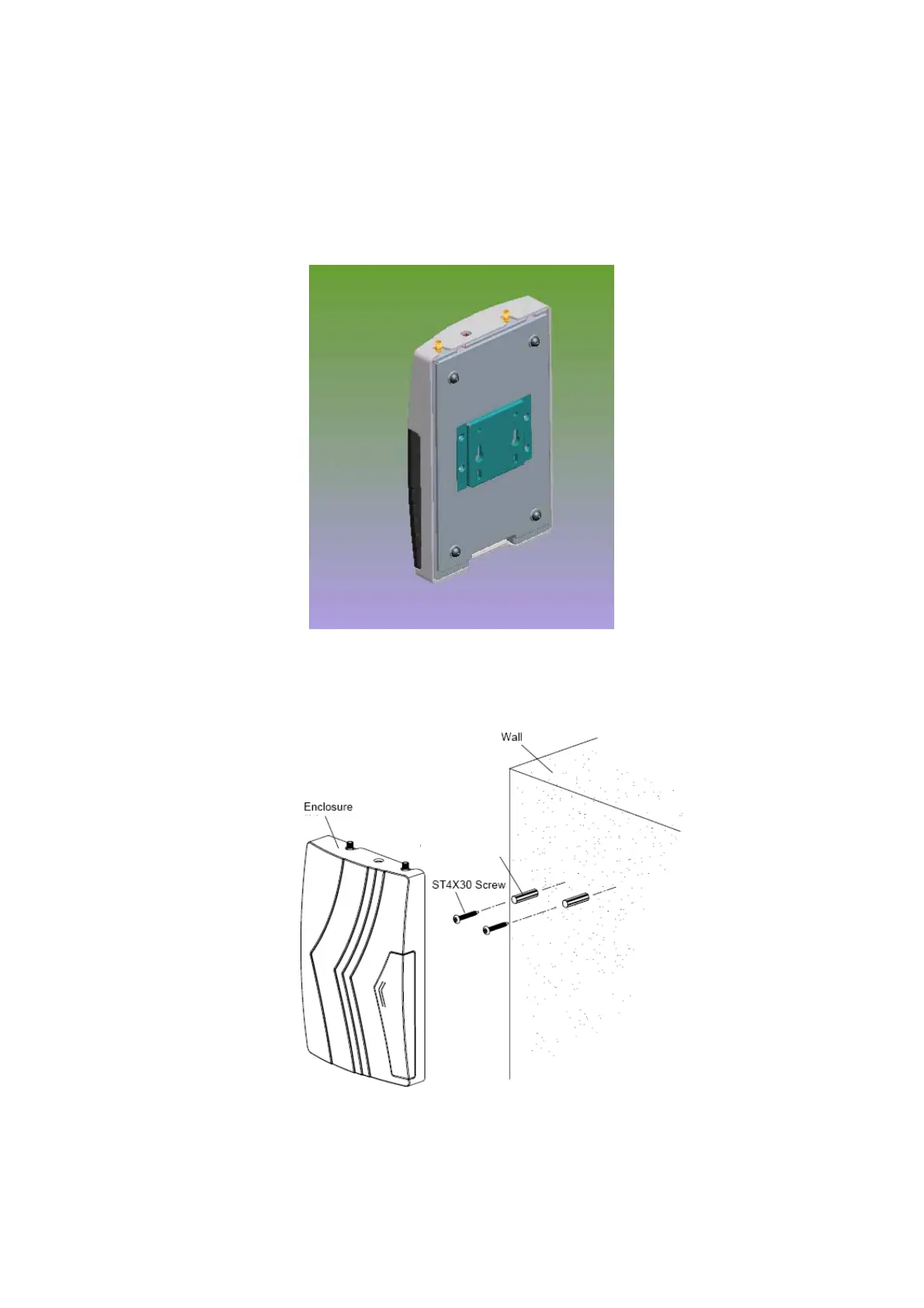
3.3.5 WALL MOUNTING OPTION
• Locate and prepare two holes spaced apart by 45mm.
• Depending on the mounting surface, two ф6 wall plugs may be needed, insert and tighten two
self-tapping screws into the wall plugs, leave the screw heads protruding by about 5mm.
• Raise the chassis and hook the mounting plate onto the screws to complete the installation.
Fig 7: Mounting Arrangement
Ø6 Wall PlugØ6 Wall Plug
Fig 8: Wall mounting overview



 To Next Page