Components & Controls
39
C3M2-OM-EN-02
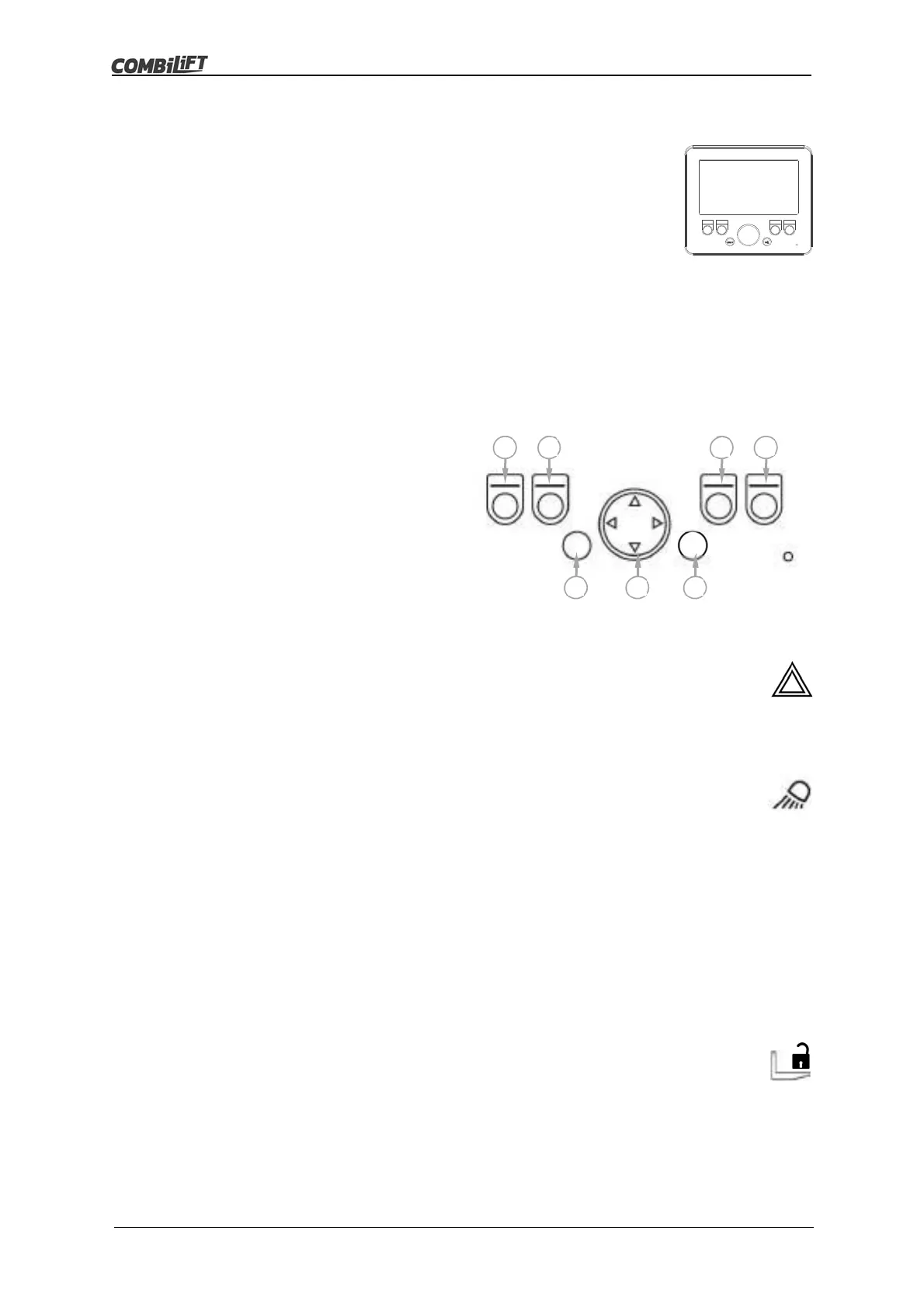
3.2.1 Multifunction Display Console (MDC)
The MDC is located on the control panel. See Item 24 in
figure 3.2 on page 28.
It consists of a display screen with buttons across the
bottom of the screen.
The buttons are used to activate and deactivate devices
and functions and to select and navigate through the
various screens and menu options. See ‘Display Console
Home Screen Button Allocation’ below.
The home screen is used to monitor the operation of the
truck. See Section 4:‘Operation Monitoring’ on page 43.
Display Console Home Screen Button Allocation
A. Hazard Warning Lights (if fitted)
B. Work Lights
C. Hydraulic Functions Lock/Unlock
D. Menu
E. Not Used
F. Menu Navigation
G. Select
A. Hazard Warning Lights (if fitted)
Press button (A) once to activate the optional hazard warning lights.
Press button (A) a second time to deactivate the optional hazard
warning lights.
B. Work Lights
The work lights have three different activation settings.
The default work lights setting of all work lights off is applied each
time the truck is powered up.
After starting the engine:
Press button (B) once to switch on the front and rear facing
work lights only.
Press button (B) a second time to switch on the left and right
facing work lights only.
Press button (B) a third time to switch on all work lights.
Press button (B) a fourth time to switch off all work lights.
C. Hydraulic Function Lock
The hydraulic function lock prevents the use of any of the
mast/fork hydraulic functions i.e. lift, reach, tilt etc. when applied.
Press button (C) once to lock the mast/fork hydraulic functions.
Press button (C) a second time to unlock the mast/fork hydraulic
functions.
A
B
C
D
E F
G
o



 To Next Page