Need help?
Do you have a question about the Comcast Custom DVR 3-Device Universal Control and is the answer not in the manual?
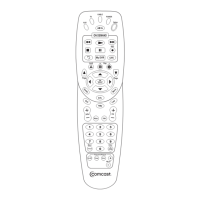
Use mode keys (AUX, TV, Cable) to control specific devices; selected key lights up.
Use A, B, or C keys for interactive features on your cable box.
Utilize Page keys, Guide, cursor keys, OK/Select, Info, Menu, and Exit for navigation.
Control power, playback, recording, and special features like ON DEMAND and My DVR.
Manage volume, channel selection, TV input, HD aspect ratio, and PIP functions.
 General
| Brand | Comcast |
|---|---|
| Model | Custom DVR 3-Device Universal Control |
| Category | Remote Control |
| Language | English |


 To Next Page