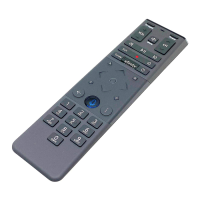
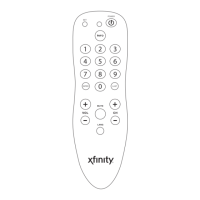
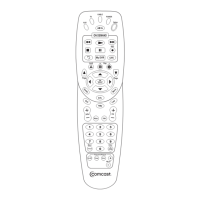
Remote with Voice Control
Start
Press and hold the Setup button (about 3
seconds) until the Status LED changes
from red to green.
Press the XFINITY button.
Follow the on-screen instructions to enter
the 3-digit code that appears.
Once the code is correctly entered, your
XFINITY Remote is paired with the device.
A
B
C
TV Power
Status LED
All Power
Voice Control
Push and hold to talk. Discover content
by channel, program or key words.
XFINITY / Menu
Access Guide, Saved, XFINITY On Demand,
Apps, Search and Settings.
Number Keys
Use predictive text (T9) to quickly search
for content.
TV Input
Changes to the next available input on
your T V (if programmed in Step 4).
Setup
Program remote for Aim Anywhere or
to control your TV or audio device.
Pick up your remote and remove the “Pull”
tab (on back) by pulling away from the
remote. The Status LED will blink green
four times as the remote powers up (about
5 seconds).
Turn on your TV.
Turn on your set-top box.
A
B
C
Pair Remote for “Aim
Anywhere” Control
Meet Your Remote Turn On Your Remote
1 32
Control your set-top box without having to
point your remote at the device, even
when it is located inside a cabinet or
entertainment center.
Your remote arrives with the AA batteries
already installed, but not activated. Here is
how to power it on for the rst time.
Need to remove Aim Anywhere control? Press
and hold the Setup button on the remote until the
status LED changes from red to green. Press A on
the remote. If the status LED blinks green twice,
you have successfully removed Aim Anywhere.
Not working? Make sure the battery tab from
your remote is removed, your TV is on and you are
entering the correct 3-digit code on your TV screen.
4

 Need help?
 General

 To Next Page