7
5 GHz in Your Business
Most WiFi networks primarily operate in the 2.4 GHz frequency band only, but the
increasingly popular 5 GHz networks offer significant advantages. With dual-band WiFi
devices , you’ll experience the benefits of both 2.4 and 5 GHz networks.
Why use 5 GHz?
• Higher speed capability than 2.4 GHz
• Less wireless interference in the 5 GHz band
• Large data, such as video or game files, download faster than with 2.4 GHz because
5 GHz can support higher speeds
• Compatible with many newer 5 GHz WiFi consumer electronic devices, such as:
Tablets Mobile Phones
Laptops Game Systems
HD TVs
About WiFi and the Business Wireless Gateway
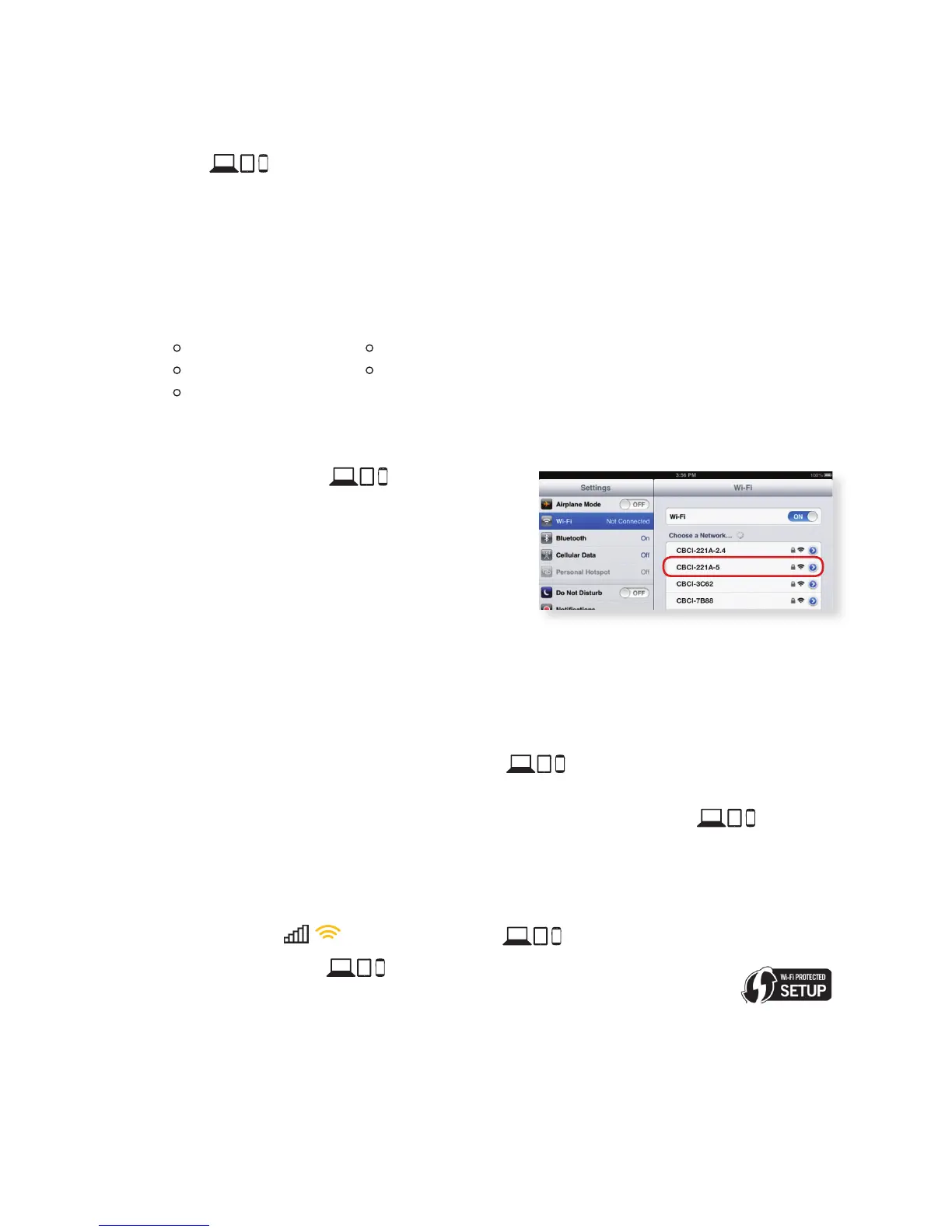
• Not all WiFi devices support 5 GHz,
especially older ones. If your device is 5 GHz
capable, you should see the 5 GHz Network
Name (SSID) in the list of available networks
(p. 3-4). If you don’t, and you’re unsure if
your WiFi device supports 5 GHz, check the
manufacturer’s documentation.
• Although the Business Wireless Gateway simultaneously broadcasts both 2.4 and
5 GHz, WiFi devices can connect to only one Wi-Fi network at a time
• 5 GHz WiFi signals may not travel as far as 2.4 GHz. In areas of your business that
are furthest away from the Business Wireless Gateway, only the 2.4 GHz network
may be available. We recommend connecting to both 2.4 and 5 GHz networks
during initial set-up of all your WiFi devices .
If you’re connected to the Business Wireless Gateway’s 5 GHz network and move
out of the 5 GHz range (move to a different room), your WiFi device may
disconnect and automatically reconnect to your 2.4 GHz (if you’ve connected to it
previously).
Note: When you’re back in the 5 GHz range, go to WiFi settings (p. 3-4) to reconnect to the Wireless
Gateway 2’s 5 GHz network in order to experience its benefits.
• The WiFi bars on your WiFi device indicate signal strength.
• Some WiFi devices support WiFi Protected Setup (WPS).
WPS lets you set up secure WiFi networks without manually
entering your WiFi network information. Pressing the WPS button
on the Business Wireless Gateway initiates WPS for both 2.4 and 5 GHz WiFi
bands. You can then connect to either band using WPS.
Learn about the Business Wireless Gateway at http://business.comcast.com/help.
For questions about your Comcast Business services, call 800-391-3000.


 To Next Page