6
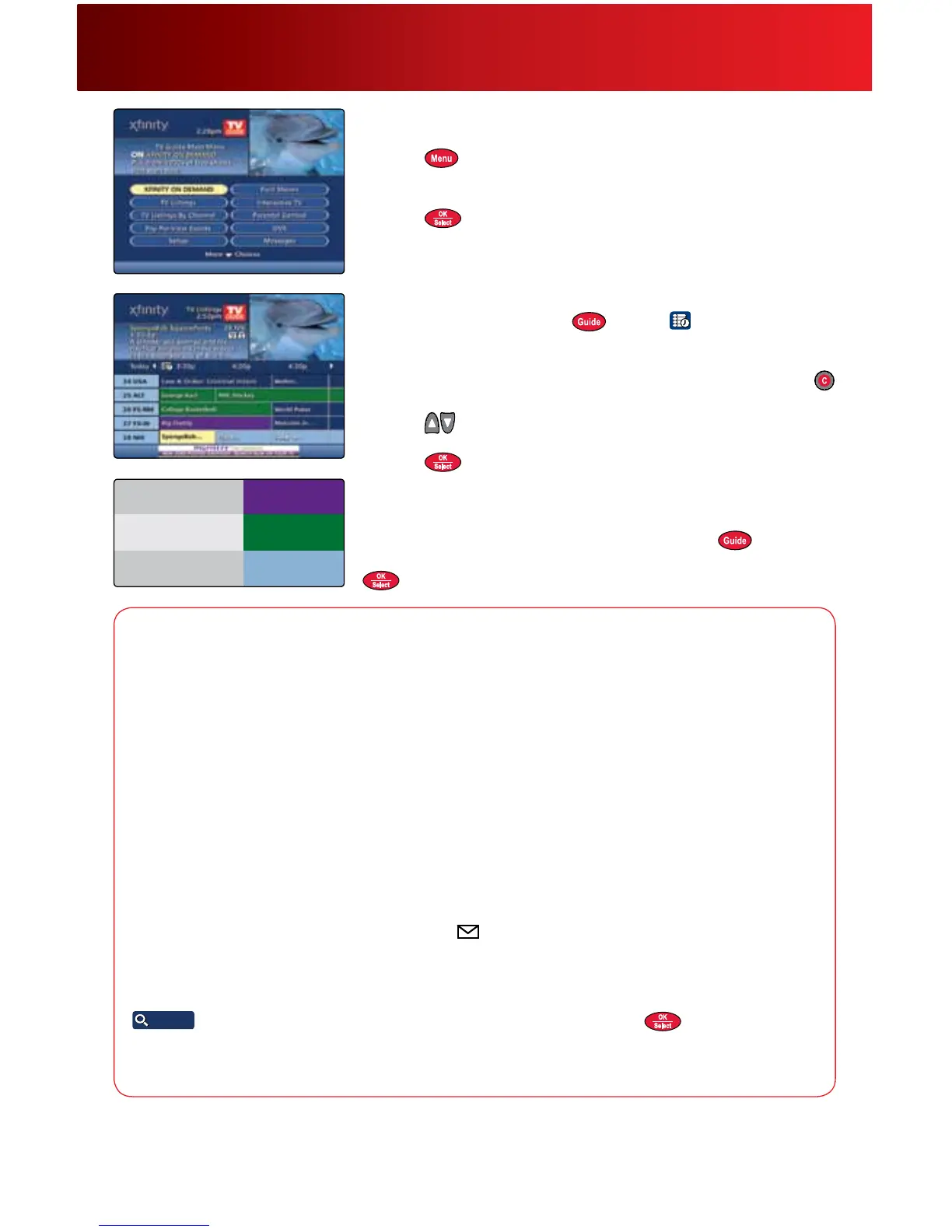
Main Menu and Quick Menu
TheMainMenuandQuickMenusaretheportalstoyourguide.
1. Press
twicetodisplaytheMainMenuoroncefortheQuick
Menu.
2. Use
tonavigatethroughadescriptionofeachfeature.
3. Press
tomakeyourselection.
TV Listings
1. ToaccessTVListings,press orselect fromtheQuickMenu.
TVListingsarecolor-codedtohelpyouidentifydifferenttypesof
programs.
2. Press
tomoveforwardintimebyhalf-hourincrements,orpress
tojumpahead24hoursatatime.
3. Press
toviewchannelsonepageatatime,or
tonavigate
throughtheguide.
4. Press
totunetoaprogram.Iftheprogramisonatalatertime,
theProgramInformationscreenwilldisplay.
T ip
WhenviewingTVListingsbytimeorbychannel,press totoggle
betweenthetwooptions.ToaccesstheMini-GuideofTVListings,press
whilewatchingTV.
Using Your On-Screen Guide
Guide Opt ions
Guide Settings —SelectSetupfromtheMainMenutocustomizeyourguide,includingcolors,grid
heightandmore.
Language Settings—Tochangethelanguageofyouron-screenmenusortheaudiolanguageofyour
channelsandprograms—likeSAP,whenavailable—selectSetupfromtheMainMenu.TVListingsand
programdescriptionswillremaininEnglish,eveniftextlanguagesettingsarechanged.
Closed Captioning
—YoucanonlyaccessClosedCaptioningthroughtheguideifyouhaveanHD
boxconnectedwithHDMIorcomponentcables.Customerswithnon-HDSet-TopBoxesneedtoaccess
ClosedCaptioningsettingsthroughyourTVandshouldrefertothemanufacturer’sinstructionsonhowto
enablethisfeature.IfyouhaveanHDbox:TurntheDigitalSet-TopBoxoff,butleavetheTVseton.Press
MenuonthefrontpanelofyourDigitalSet-TopBoxorremotecontrolandnavigatetoClosedCaption;
press
toEnabledorDisabled.
Messages—MessagessentoccasionallybyComcastannouncenewservices,specialpromotionsor
otherinformation.Anenvelopemessageindicator
willappearontheMainMenuandTVListings
screens,andaredlightwillappearonyourDigitalSet-TopBox.SelectMessagesfromtheMainMenu
toview.
Music
—Musicchannelsprovidecontinuousmusicinavarietyofformats24hoursaday.Select
Find Shows
Find Shows
fromtheQuickMenu,thenMusic.Highlightyourselectionandpress .
Weather
—SelectLocalWeatherfromtheMainMenutoviewup-to-datelocalweatherconditionsanda
three-dayforecast.
If the on-screen guide displayed and features discussed in the following pages do not represent the guide and features you see on your
television, call Comcast customer service at 1-800-XFINITY or visit comcast.com/welcome to download a user guide for your area.



 To Next Page