107
7. Select the Save settings button located on the bottom of the window. Then Port forwarding is
finished.
B. How to access DVR from Remote PC?
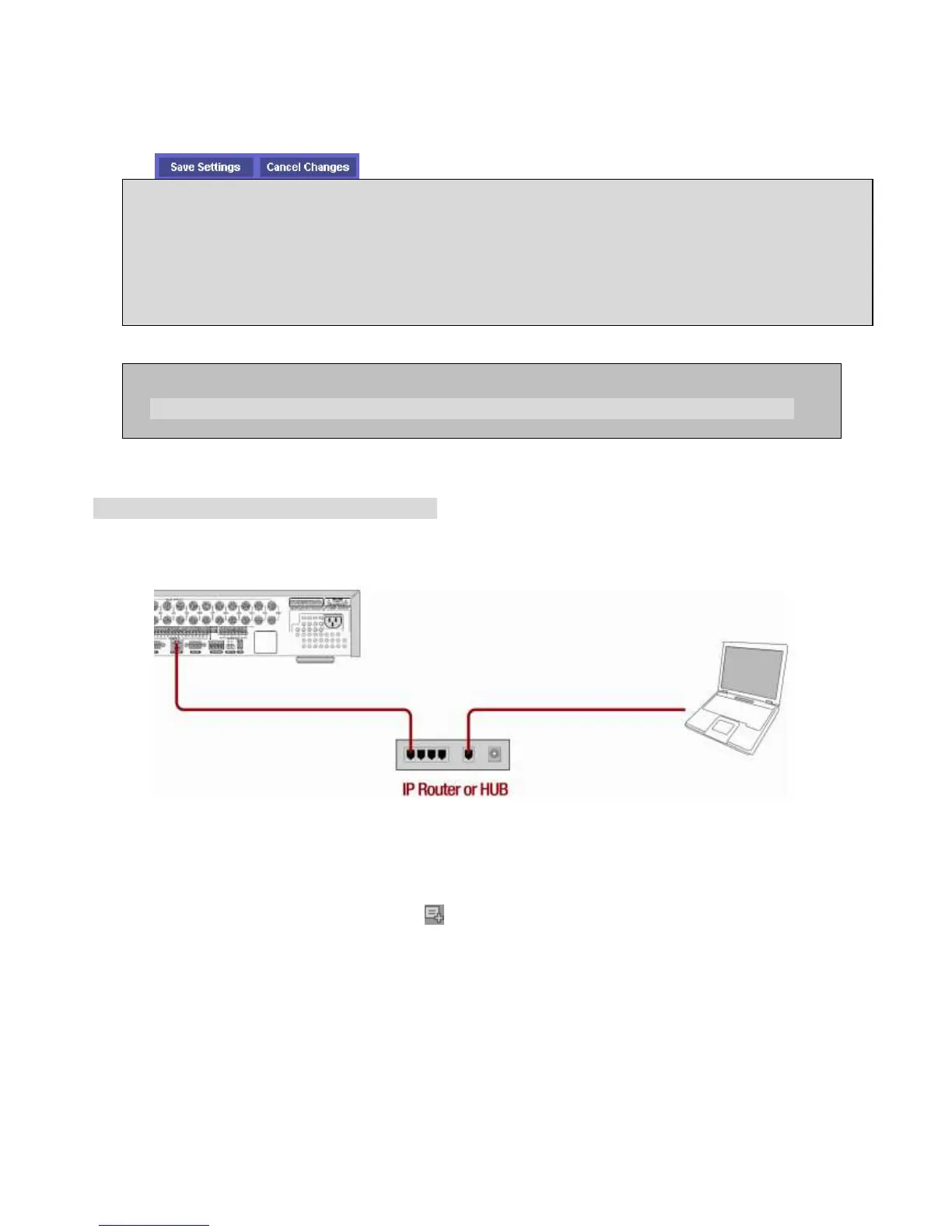
LAN Connection – Using a switching hub
Connect to the system, using a hub (switching hub) and an Ethernet cable (10BASE-T/100BASE-TX CAT 5
LAN cable)
1. Run the pre-install the network client software on the supplied CD. (Refer to Chapter 6. Network
access using the Exclusive network viewer)
2. Check the IP address from SETUP>SYSTEM>DESCRIPTION of DVR.
3. Run network client software and click button.
Network access beyond a router
In order to access the DVR remotely beyond a router (firewall), the user must open TCP port for
command level, live channels and storage channels. U
the DVR port number 5445 and the WEB port number 80.
If this port is not opened properly, user can not access DVR beyond a router.
You can learn how to port forward many kinds of Routers from the bellow site.
http://www.portforward.com/english/routers/port_forwarding/routerindex.htm



 To Next Page