108
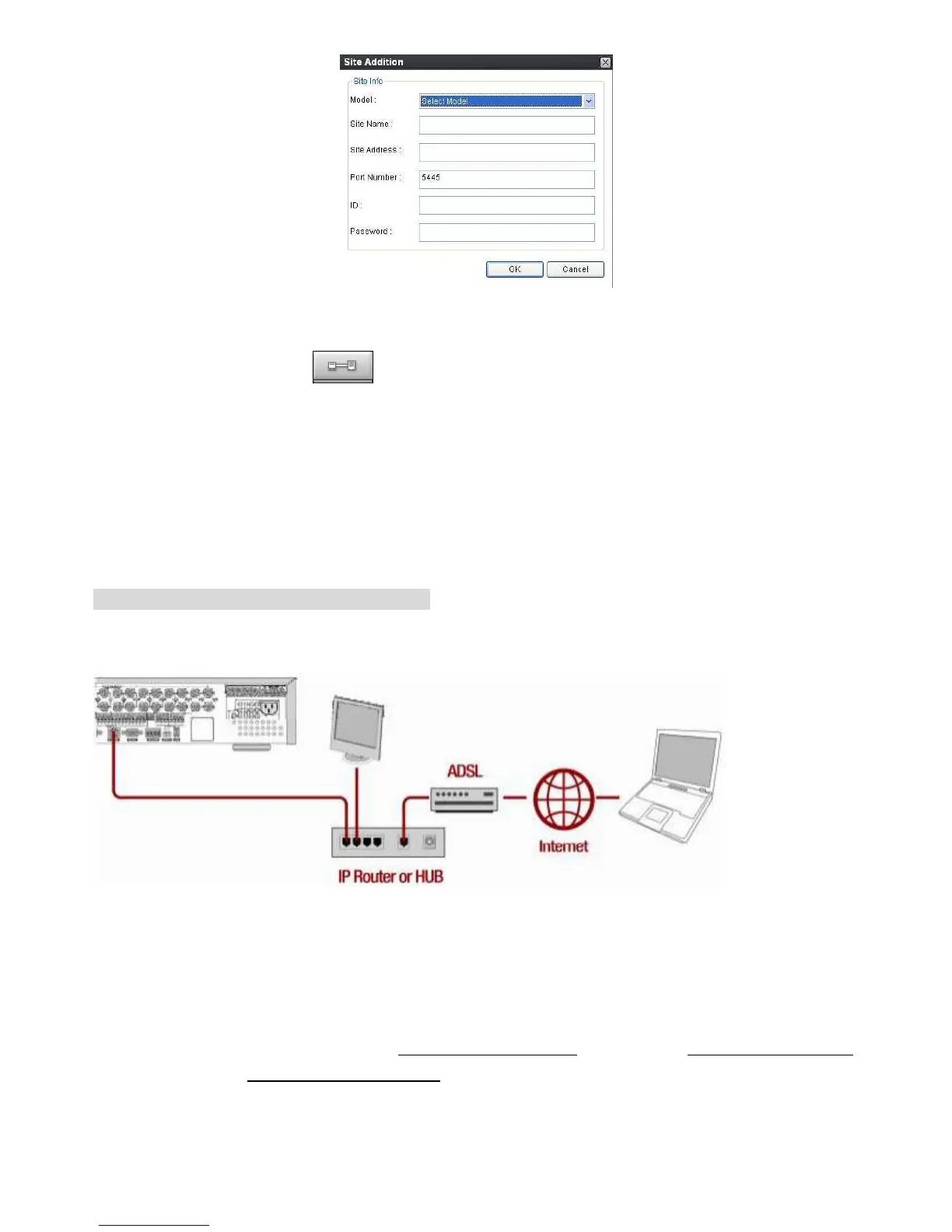
4. Input Site Name, Site Address(IP address), Port No., and Password on the connect window. And
click OK. Then, press
button after checking the left check box.
Internet (ADSL) Connection using DDNS
Connect to the system, using an Router or ADSL modem and an Ethernet cable (10BASE-T/100BASE-TX
CAT 5 LAN cable)
1. Go to SETUP>NETWORK. Set NETWORK TYPE as DHCP and DDNS SERVER as ON. And
select one type among bestddns.com, okddns.com and ddnscenter.com after setting to DDNS1.
2. Go to Setup menu of Router and open TCP port 5445 and 80 using Port Forwarding. (Refer to A.
How to set IP address of the DVR and open TCP port of the router?)
3. Confirm the Mac address and Serial No. from the label of the rear panel of the DVR.
4. Open the web browser and log on http://www.bestddns.com. Please log on http://www.okddns.com
in Korea and http://www.ddnscenter.com in USA.



 To Next Page