EasyManua.ls Logo

COMGROW CNC - User Manual

COMGROW CNC
12 pages
Print Icon
To Next Page IconTo Next Page
Loading...
User Manual V1.0
CNC
Carving Machine
13/F, Block 3, JinChengYuan, Tongsheng Community, Dalang, Longhua District, Shenzhen, China, 518109
E-mail: service@comgrow.com
Official Websitewww.comgrow.com/
SHENZHEN Comgrow Technology Co., Ltd
Question and Answer IconNeed help?

Do you have a question about the COMGROW CNC and is the answer not in the manual?

Summary

Disclaimers

Assembly

Spindle Motor Installation

Instructions for installing the spindle motor onto the machine, ensuring proper clamping.

Wiring Schematic

Diagram illustrating the electrical connections for the machine's components.

Mainboard Module

Driver Installation

Step-by-step guide for installing the necessary drivers for the mainboard.

Software Setup and Connection

Operation

Offline Controller

Tool Setting Gauge Block

Operation Precautions and Routine Maintenance

Q&A

Axis or Three Axes Abnormal

Troubleshooting common issues with axis movement or lack thereof.

Summary

Disclaimers

Assembly

Spindle Motor Installation

Instructions for installing the spindle motor onto the machine, ensuring proper clamping.

Wiring Schematic

Diagram illustrating the electrical connections for the machine's components.

Mainboard Module

Driver Installation

Step-by-step guide for installing the necessary drivers for the mainboard.

Software Setup and Connection

Operation

Offline Controller

Tool Setting Gauge Block

Operation Precautions and Routine Maintenance

Q&A

Axis or Three Axes Abnormal

Troubleshooting common issues with axis movement or lack thereof.

Overview

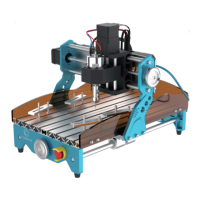
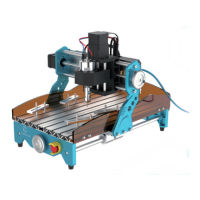
The Comgrow CNC Carving Machine is a versatile desktop engraving and cutting device designed for hobbyists, educators, engineers, and small businesses. It allows users to create intricate designs on a variety of materials, making digital manufacturing more accessible.

Function Description:

The Comgrow CNC Carving Machine is primarily used for engraving and cutting operations. It utilizes a spindle motor to drive a milling tool, which carves designs into materials based on G-code instructions. The machine can be controlled either via GRBL software on a computer or through an offline control handle, offering flexibility in operation. It is equipped with an emergency stop button for safety during operation. The machine's design includes an acrylic baffle to prevent dust and facilitate cleanup.

Important Technical Specifications:

  • Product Exterior Size: 400x275x268mm (motor not included)
  • Milling Size: 300x180x45mm
  • Weight: 7.5KG
  • Drive Motor: 42 stepper motor, 0.48 N.m.
  • Spindle: 775 motor, 12V-24V, 10000RPM
  • System Compatibility: Windows XP, Windows 7 (32/64 bits), Windows 8, Windows 10, Linux system.
  • Power Supply: Switchable 230 VAC or 110 VAC.
  • Construction: Composed of aluminum, providing a stable overall structure.

Usage Features:

  • Material Versatility: Capable of engraving and cutting wood, plastic, acrylic, PCB, and soft aluminum. It is not suitable for hard metals, jade, or other hard objects.
  • Control Options: Can be operated using GRBL software (e.g., Grblcontrol/Candle) connected to a computer via USB, or independently with an offline control handle using an SD card for G-code files.
  • Easy Setup: The manual provides detailed instructions for assembly, wiring, and software installation (CH340SER driver and Grblcontrol/Candle software).
  • Tool Setting Gauge Block: A convenient feature for accurately determining the Z-axis working zero position. Users measure the thickness of the gauge block, input it into the software settings, and connect the block to the mainboard. The system then automatically adjusts the Z-axis zero point.
  • Offline Control Handle: Allows for standalone operation without a computer. Users can copy G-code files to an SD card, insert it into the handle, and control the spindle's movement and engraving process directly. The handle includes buttons for X, Y, Z axis movement, spindle on/off, and menu navigation.
  • Emergency Stop: Equipped with a prominent emergency stop button to halt milling operations instantly, enhancing user safety.
  • Connection Display: The Grblcontrol software provides a connection display to confirm successful communication between the computer and the machine, showing "Port Opened" when connected.
  • Movement Control: Both software and offline handle offer precise control over X, Y, and Z axis movements, allowing users to set the machine's origin and navigate the carving area.
  • Spindle Control: The spindle motor can be turned on/off and its speed adjusted via the control interface.
  • Ventilation: The machine should be operated in a well-ventilated area, as some materials may emit fumes during operation.

Maintenance Features:

  • Regular Cleaning: The surface dust of the spindle motor should be cleaned regularly, ensuring the power is disconnected before cleaning.
  • Lubrication: Lubricating and anti-rust oil should be applied to the optical axis periodically to prevent rust.
  • Screw Reinforcement: The top tightening screw of the coupling should be reinforced regularly, as it may loosen over time.
  • Waterproof and Dustproof: The machine is designed to be waterproof and dustproof, and coolants should not be used.
  • Proper Pressure Block Installation: Pressure blocks should be installed to maintain at least 10mm distance from the carving work area to avoid collision with the knife.
  • Power Supply: The machine uses a switchable 230 VAC or 110 VAC power supply; using an incorrect power supply can lead to malfunction or damage.
  • Component Integrity: Users are advised not to disassemble the power supply or electrical components, as this will void the warranty.
  • Troubleshooting: The manual includes a Q&A section to address common issues such as axis movement problems, Z-axis control issues, inconsistent carving depth, and inability to carve at the origin, providing guidance on troubleshooting motherboard components, wiring, software settings, and file paths.

COMGROW CNC Specifications

General IconGeneral
BrandCOMGROW
ModelCNC
CategoryIndustrial Equipment
LanguageEnglish

Related product manuals