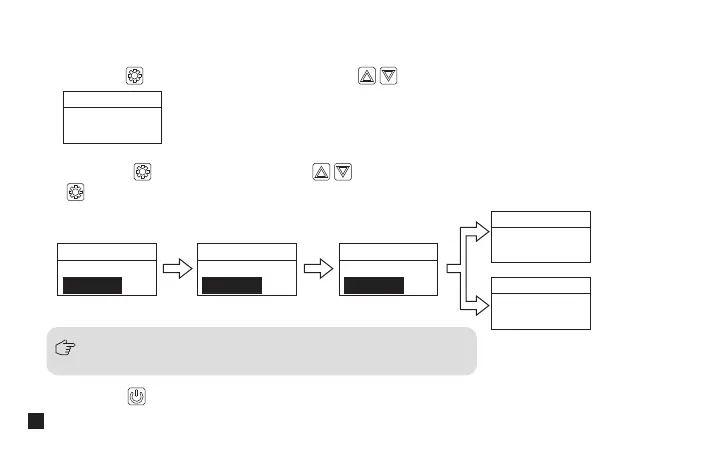
1.1 Short press button to “setting” display page; press button to Pair mode of Group A or Group B
1.2 Short press button for adjustment, press button to select whether or not pairing, then short press
to confirm. It will show “Paired CHXX” to prompt the channel of Paired after successful pairing; it will show
“Fail” after unsuccessful pairing
1.3 Short press button to back to home screen ( The operation methods for other interfaces are the same as above )
Please turn on the transmitter and make sure the IR sensor are closely
aligned when pairing or it may cause failed pairing!
1.Pairing of Group A/B
Menu
Group A
Pair Yes
Menu
Group Setting
Pair No
Menu
Group Setting
Pair Yes
Menu
Group Setting
Pairing...
Menu
Group Setting
Paired CHXX
Menu
Group Setting
Fail!
Successful
Pairing
Failed Pairing
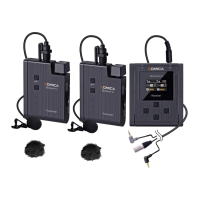
Receiver (RX) Operation Instruction:
16


 To Next Page