15
backward devices could display forward sources, while forward
devices can not have their local monitor to show backward
sources.
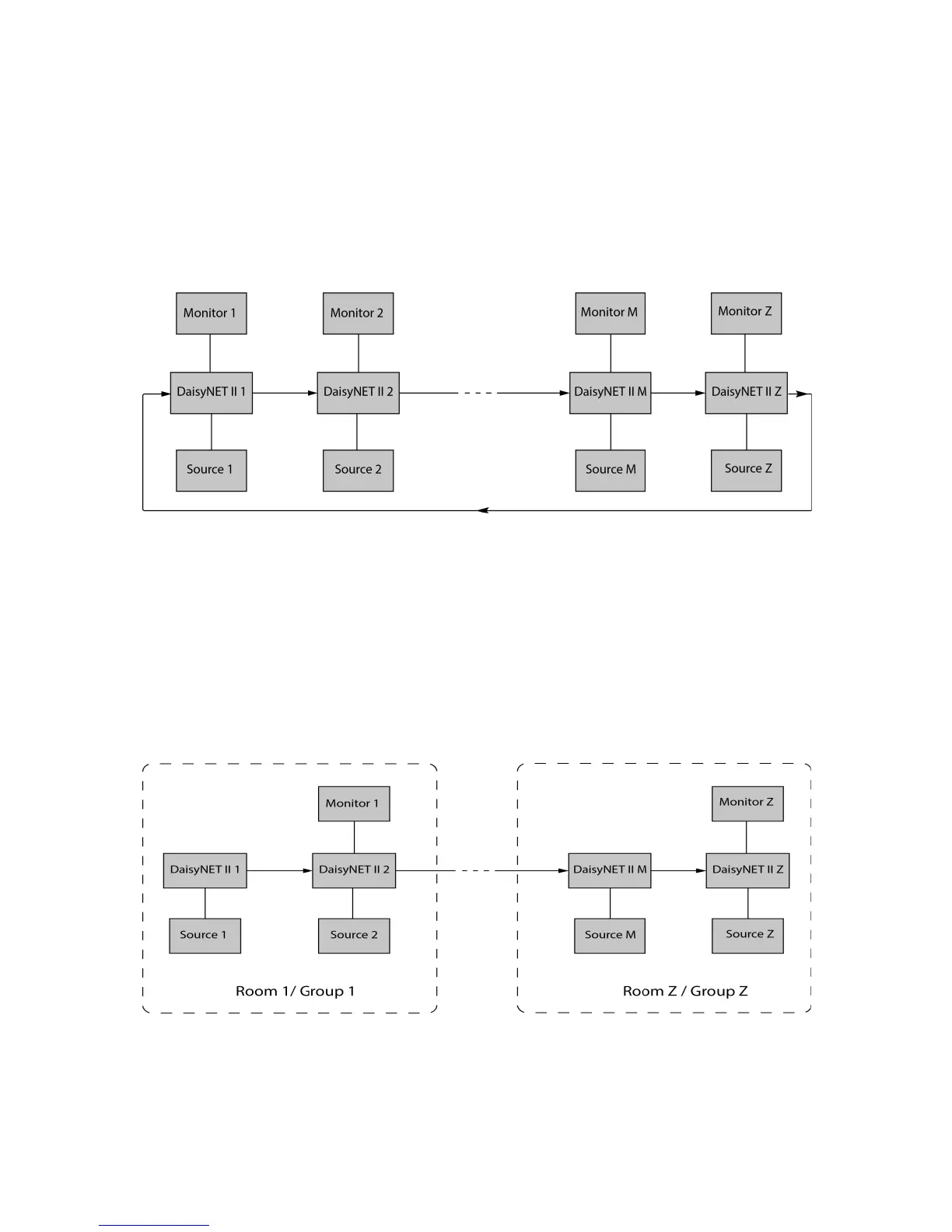
Application 3: Ring-type Connection
In Application 3, the last Device Z has its HDBT OUT connecting
to HDBT IN of the first Device 1. As a result, each source
selected could be displayed by any monitor in the chain, and fix
the issue in chain-type connection that backward sources can not
be displayed in forward monitors.
Application 4: Grouping Mode
In Application 3, Device 1 and Device 2 work in Group 1, while
Device M and Device Z work in separate Group Z. Devices in
different groups can not select or display sources from other


 To Next Page