22
Web Control
DaisyNET II offers a Web GUI for product configuration.
Access the WEB GUI
Step 1. Connect DaisyNET II to a computer using a Cat cable.
The default IP address of the DaisyNET II is 192.168.1.121, make
sure the computer's IP address is 192.168.1.X (such as
192.168.1.100).
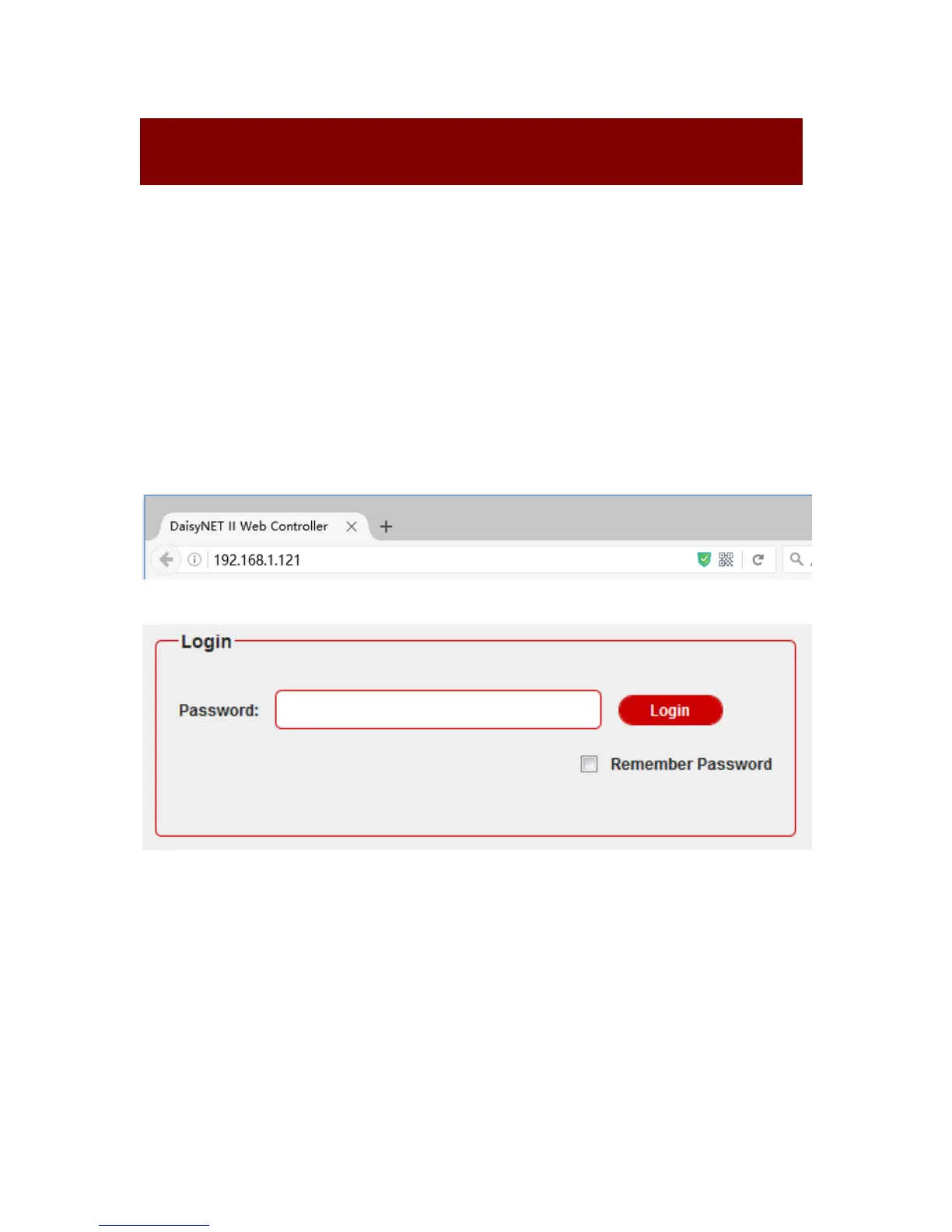
Step 2. Type the IP address into a web browser (as seen below).
A login screen will appear:
The default password is admin.
Note:
If the IP address of DaisyNET II has been changed, user can
search the new IP using SmartSetGUI tool or press the reset
button to reset the DaisyNET II.
Run SmartSetGUI tool to obtain the IP address. Click Search, it


 To Next Page