11
Panel Layout
Front Panel
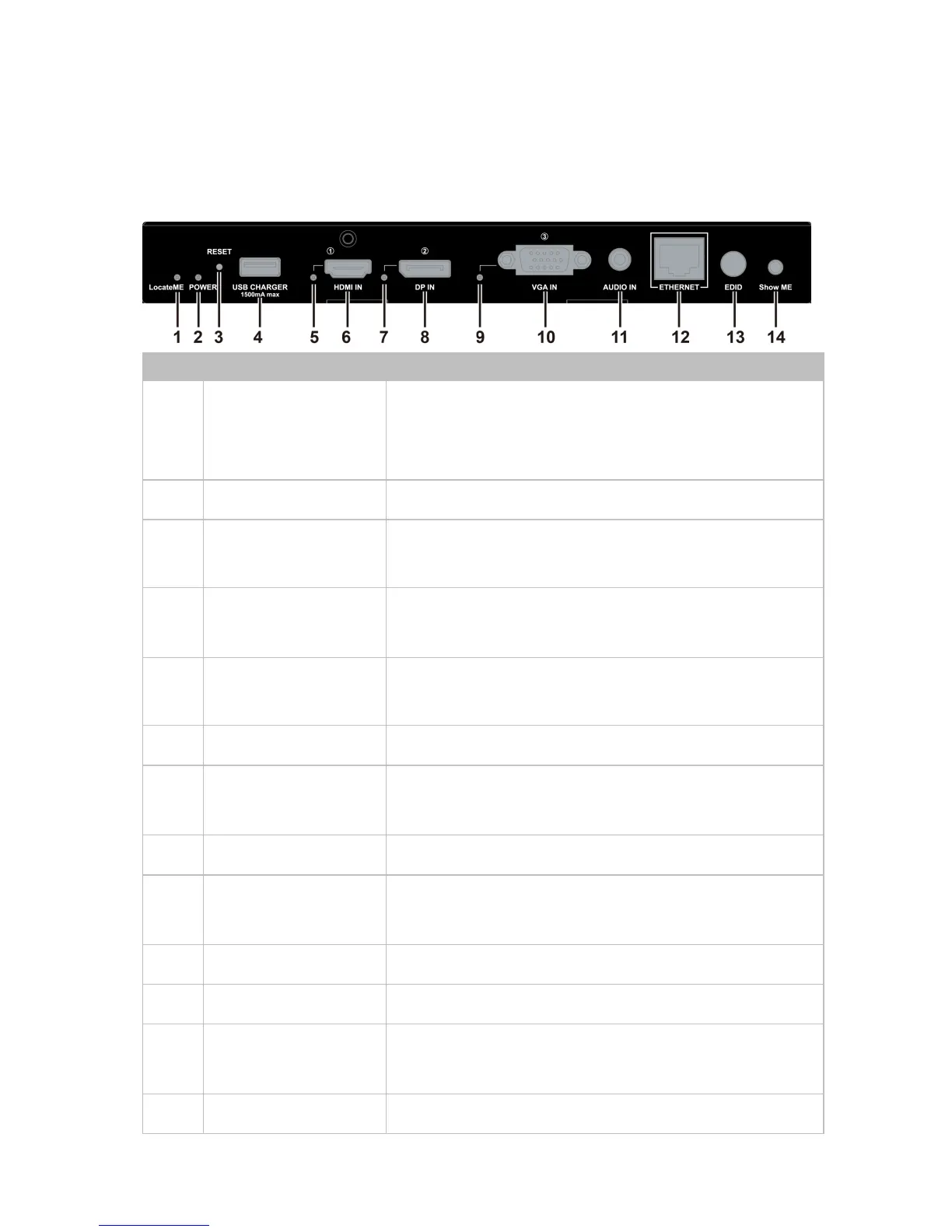
Located a device in the chain, LED
flashes 2 times when click “LocateME” on
WEB
Press and hold this button for at least five
seconds to reset the DaisyNET II
This LED is on if HDMI IN is selected as
input
Connects to HDMI source device
This LED is on if DP IN is selected as
input
Connects to DisplayPort source device
This LED is on if VGA IN is selected as
input
Connects to VGA source device
VGA analog stereo audio input
Connects to a LAN device such as
Laptop for LAN access or WEB control
Rotary switch is provided to offer EDID


 To Next Page