EasyManua.ls Logo

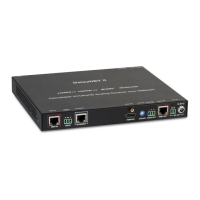
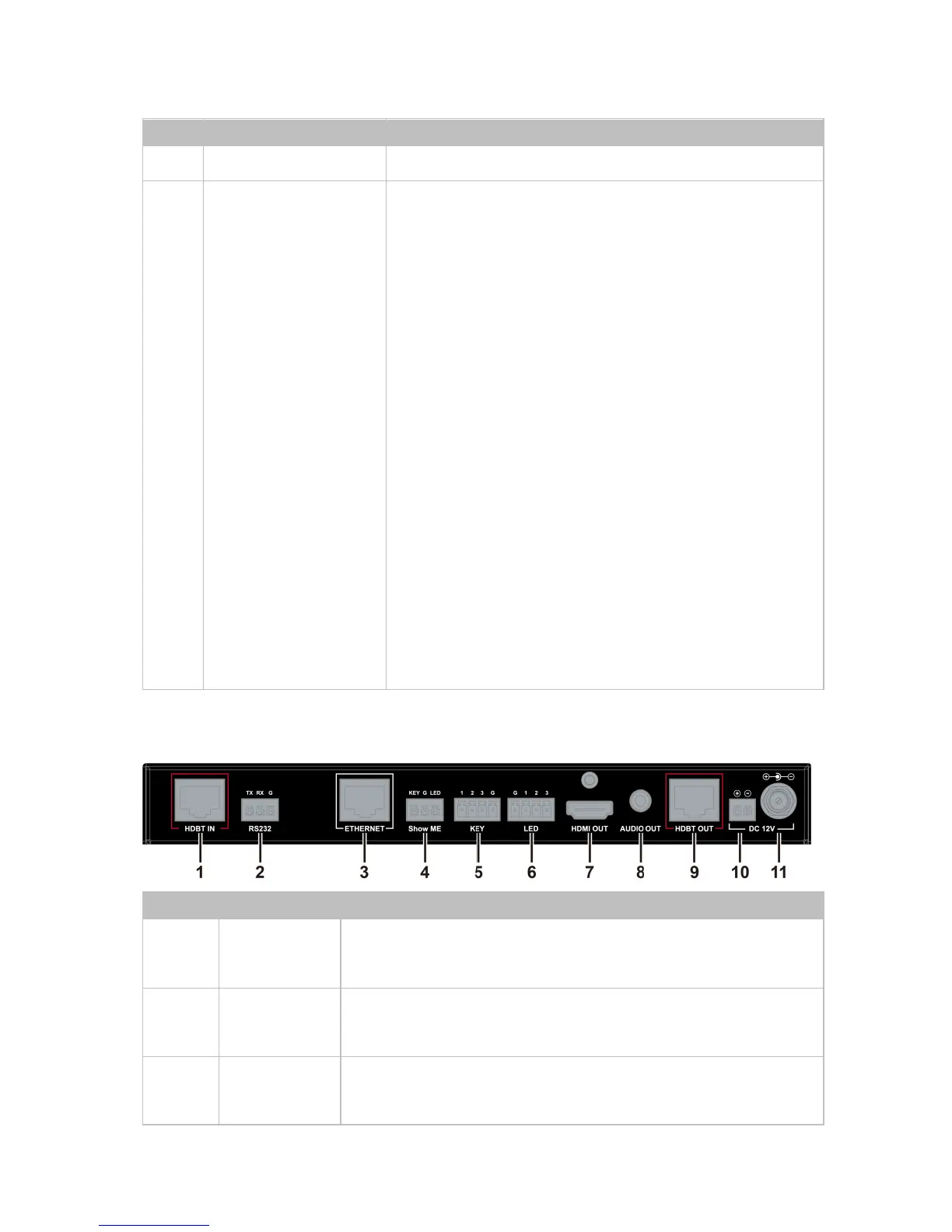
Comm-Tec DaisyNET II - Rear Panel Layout; Rear Panel Ports and Controls

Comm-Tec DaisyNET II
43 pages
Print Icon
To Next Page IconTo Next Page
To Previous Page IconTo Previous Page
Loading...
12
No.
Name
Description
management.
14
Show Me
Button
Press this button to switch the input
source in turn, or activate remote device
when active source detected on remote
device in cascaded connection.
ShowMe switch is only effective for active
sources, cannot switch to inactive
channel, disabled source or source not
been detected. By pressing local
ShowMe button on current selected
device for 3 seconds, it would cancel the
device and switch back to the last
selected device/source.
Hold press ShowMe button for 10
seconds, input signal LED will blinking
twice to start sorting, based on the
current device IP sequentially.

Rear Panel
No.
Name
Description
1
HDBT IN
Connects to HDBT output port of any HDBT
device or the other DaisyNET II.
2
RS232
Connects to a controllable device such as
projector as RS232 pass-through
3
Ethernet
Connects to a LAN device such as IP-based
touch panel for LAN control

Other manuals for Comm-Tec DaisyNET II