
 Need help?
Do you have a question about the Comm-Tec DaisyNET II and is the answer not in the manual?
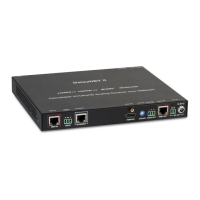
Provides a general description of the DaisyNET II's purpose and core technology.
Details audio input sources, connector types, and audio output formats.
Describes available methods for controlling the device, such as WEB GUI and Telnet API.
Information about the status indicators (LEDs) on the device.
Identifies and describes the ports and controls on the front panel of the DaisyNET II.
Identifies and describes the ports and controls on the rear panel of the DaisyNET II.
Illustrates how to set up the DaisyNET II in a chain configuration for AV distribution.
Demonstrates a chain setup with local monitors connected to each DaisyNET II unit.
Shows how to configure the DaisyNET II in a ring topology for enhanced connectivity.
Explains how to use grouping mode for independent conference setups.
Step-by-step guide on connecting multiple DaisyNET II units using HDBaseT ports and Cat cables.
Instructions for connecting video sources (HDMI/DP/VGA) and displays (HDMI).
Steps to connect to and access the DaisyNET II's web-based graphical user interface.
Explains how to view the current status and connectivity of DaisyNET II devices in the GUI.
Describes how clicking a device icon in the GUI shows its alias name, IP, sequence, and input source.
Details tasks related to device setup, including Locate ME, Alias Name, Sequence, Grouping, and Network.
How to use the LocateME feature to identify a specific DaisyNET II unit through its LED indicator.
How to enable or disable the automatic input switching based on signal detection and priority.
How to set HDCP (High-bandwidth Digital Content Protection) for HDMI and DisplayPort inputs.
How to configure and use CEC commands for controlling display power and status.
How to set and save RS232 commands for controlling display power states.
How to change the WEB GUI logo by uploading a custom image.
How to change the login password for the DaisyNET II's web interface.
How to reset the device to factory defaults or reboot it from the system settings.
How to configure the automatic logout timer for the web interface.
Details EDID presets and their corresponding descriptions for display identification.

 To Next Page


 General