33
RS232 Standby Command: Input the RS232 Standby Command
of connected display, and click Save button.
Note: The command length is up to 64 characters.
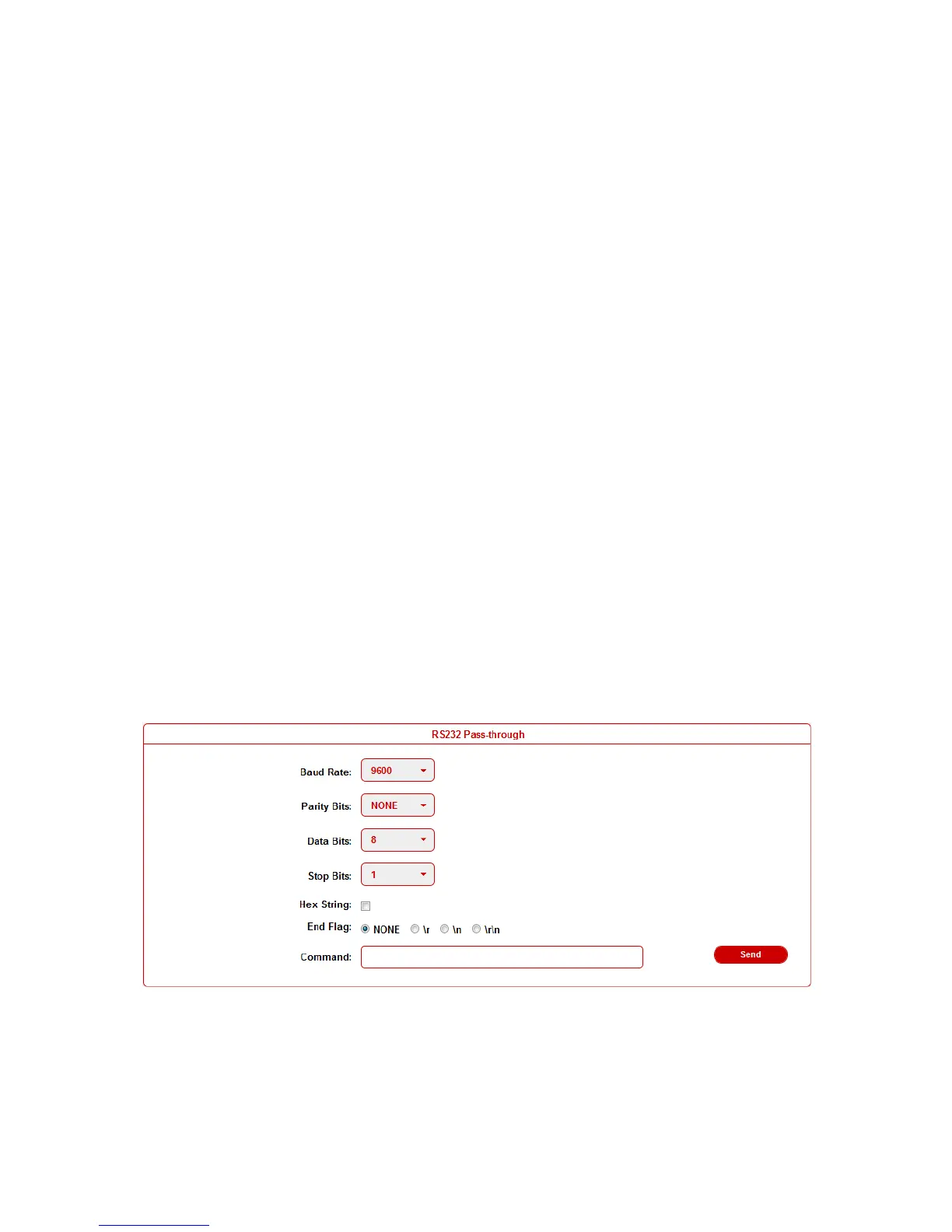
Baud Rate: Set the Baud Rate of connected display.
Parity Bits: Set the Parity Bits of connected display.
Data Bits: Set the Data Bits of connected display.
Stop Bits: Set the Stop Bits of connected display.
Hex String: Check this option represents the command is
Hexadecimal format.
End Flag: Choose the end flag of command. The command could
be end with none, "\r", "\n" or "\r\n".
RS232 Auto Control: Enable/disable RS232 Auto-control.
Delay Time (min): Set the delay time of display off after receiving
RS232 command. The range is 0~30 minutes.
RS232 Manual Control: Turn on/off display manually by RS232
command.
RS232 Pass-through
RS232 pass through is used to send RS232 command manually by
Web to selected device out. Telnet API is also provided for this
function.


 To Next Page