32
automatically.
Note: This function is only effective for CEC supported and enabled
displays.
CEC Auto control: Enable/disable CEC Auto-control
Delay Timing: Set the delay time of turn off display after receiving
CEC command. The range is 0~30 minutes.
CEC Manual Control: Turn on/off display by CEC command
manually.
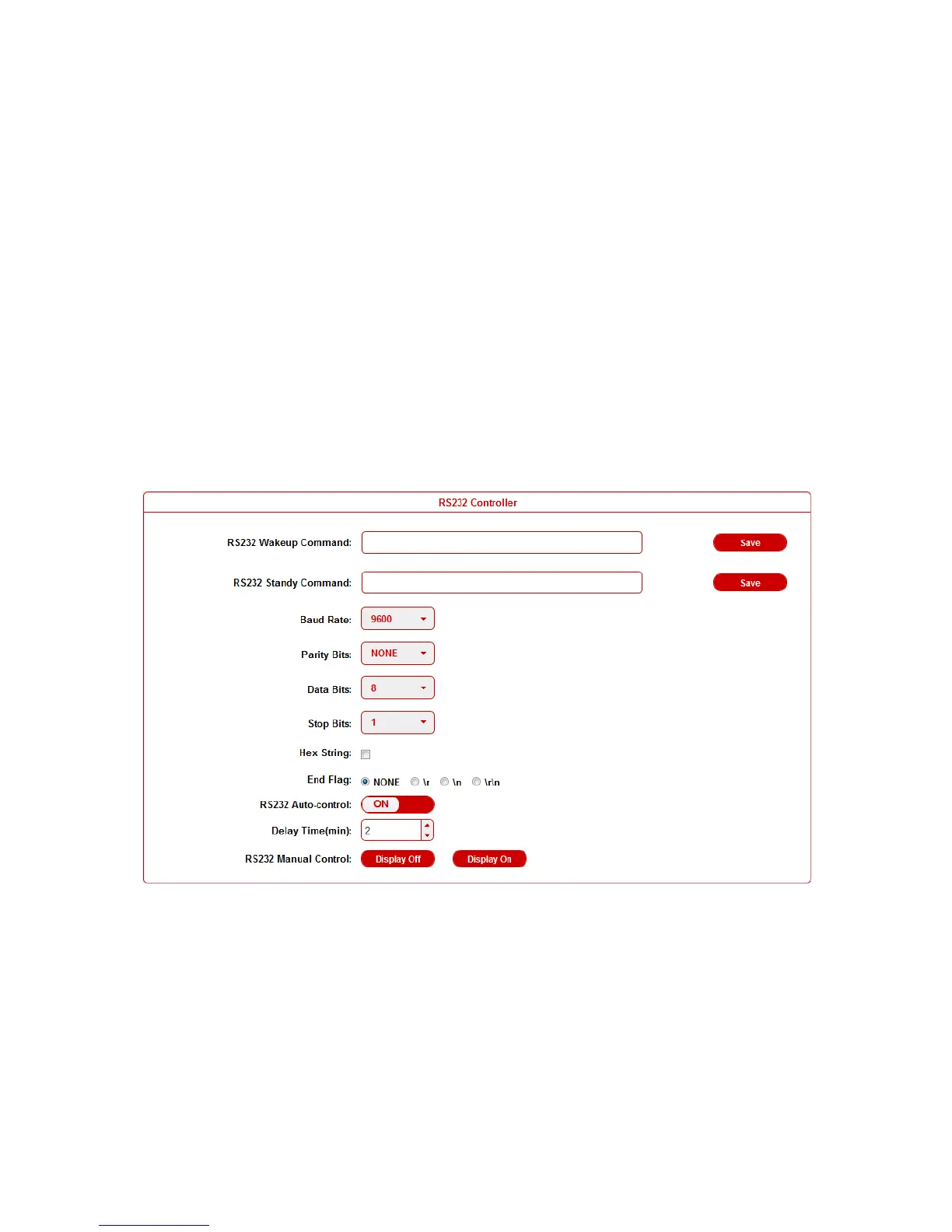
RS232 Controller
DaisyNET II is built in RS232 controller, and able to save RS232
Wakeup and Standby Commands of display and turn on/standby
the display through connected RS232 port by auto-detecting source
status.
RS232 Wakeup Command: Input the RS232 Wakeup Command
of connected display, and click Save button.
Note: The command length is up to 64 characters.


 To Next Page