31
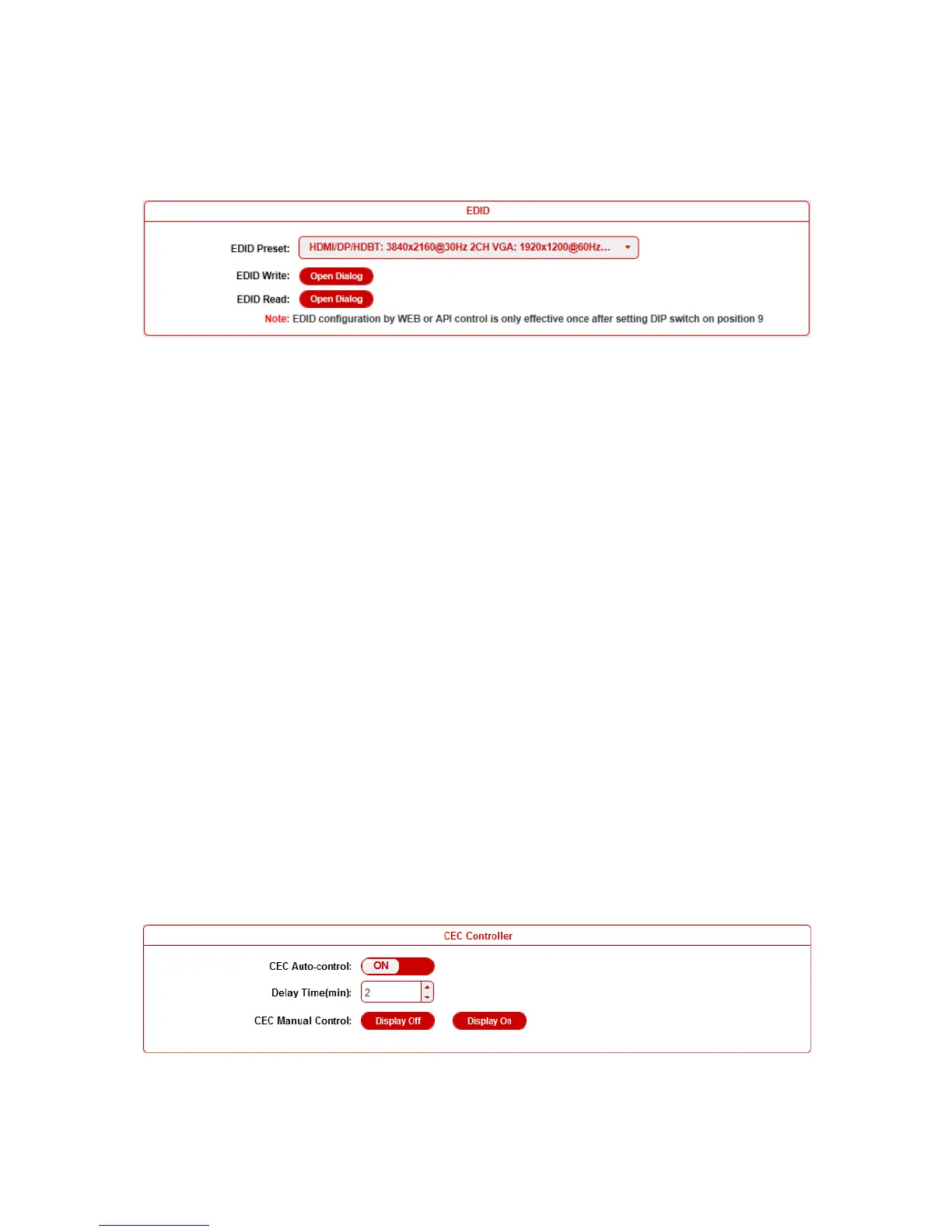
EDID
To set the EDID by WEB GUI, adjust the EDID switch to Position 9
firstly.
For example, if user wants to write the HDMI OUT EDID of
DaisyNET II 1 to HDMI IN of DaisyNET II 2, log in DaisyNET II 1's
WEB GUI, click Open Dialog button of EDID Read, save the Bin
file, and then log in DaisyNET II 2's WEB GUI, click Open Dialog
button of EDID Write, import the Bin file.
Note: For EDID write, HDMI/DP/HDBT supports 256 bytes only,
VGA supports 128 bytes.
Control
This sub-menu is used to perform the following tasks:
CEC Controller
RS232 Controller
RS232 Pass-through
CEC Controller
DaisyNET II is built in CEC controller, and able to turn on/off display
by sending CEC commands to display via HDMI output port


 To Next Page