14
Quick Start
DaisyNET II could be used flexibly as either transmitter or receiver
to support a couple of different installations and applications,
because of a local HDMI Out port built in.
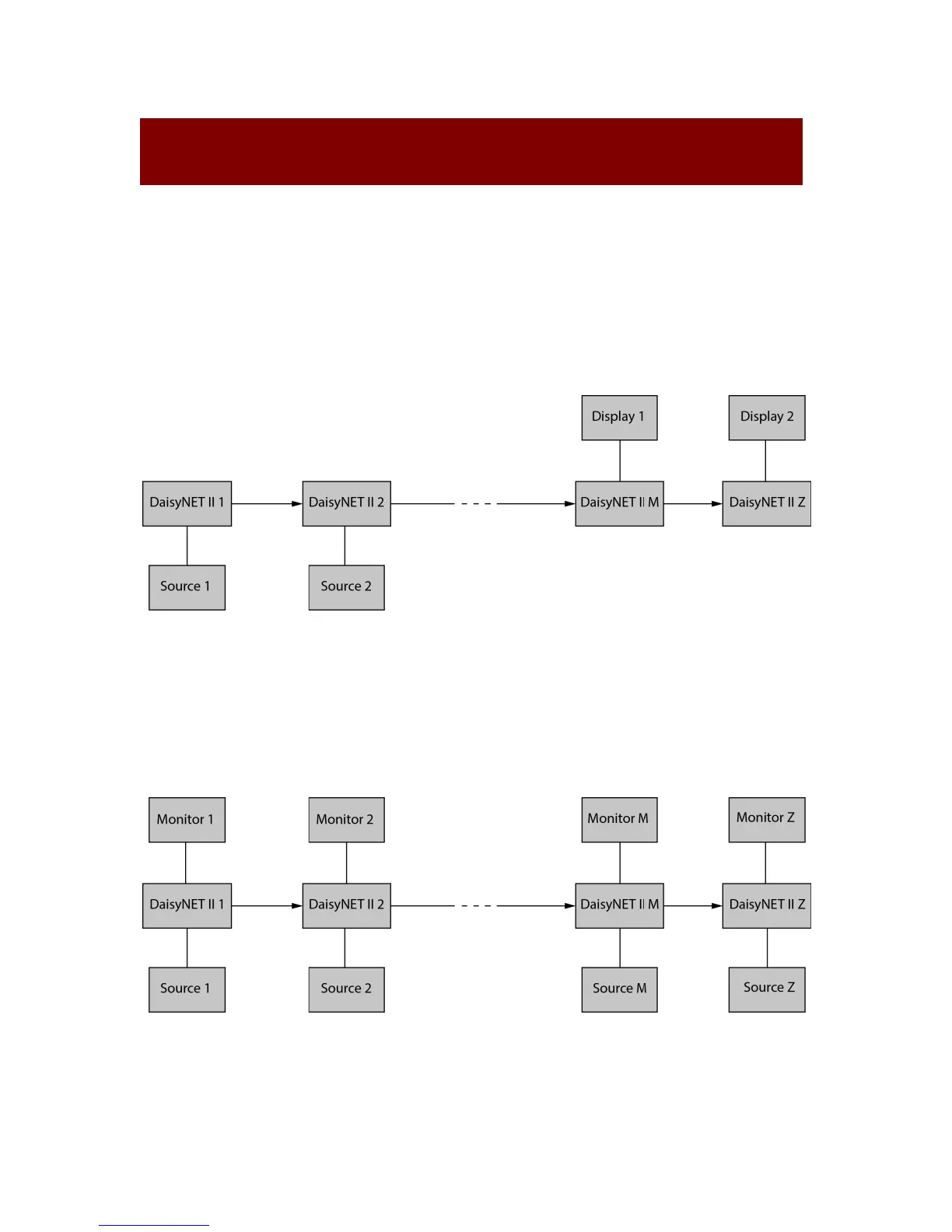
Application 1: Chain-type Connection
In Application 1, Device 1 and Device 2 are used as transmitter to
connect source, while Device M and Device Z are dedicated
receivers to connect multiple displays.
Application 2: Chain-type Connection with Local Monitor
In Application 2, each DaisyNET II in the chain has their local
HDMI Out connected with local monitor, so as to show forward or
local source once it’s selected in the chain. Please note only


 To Next Page