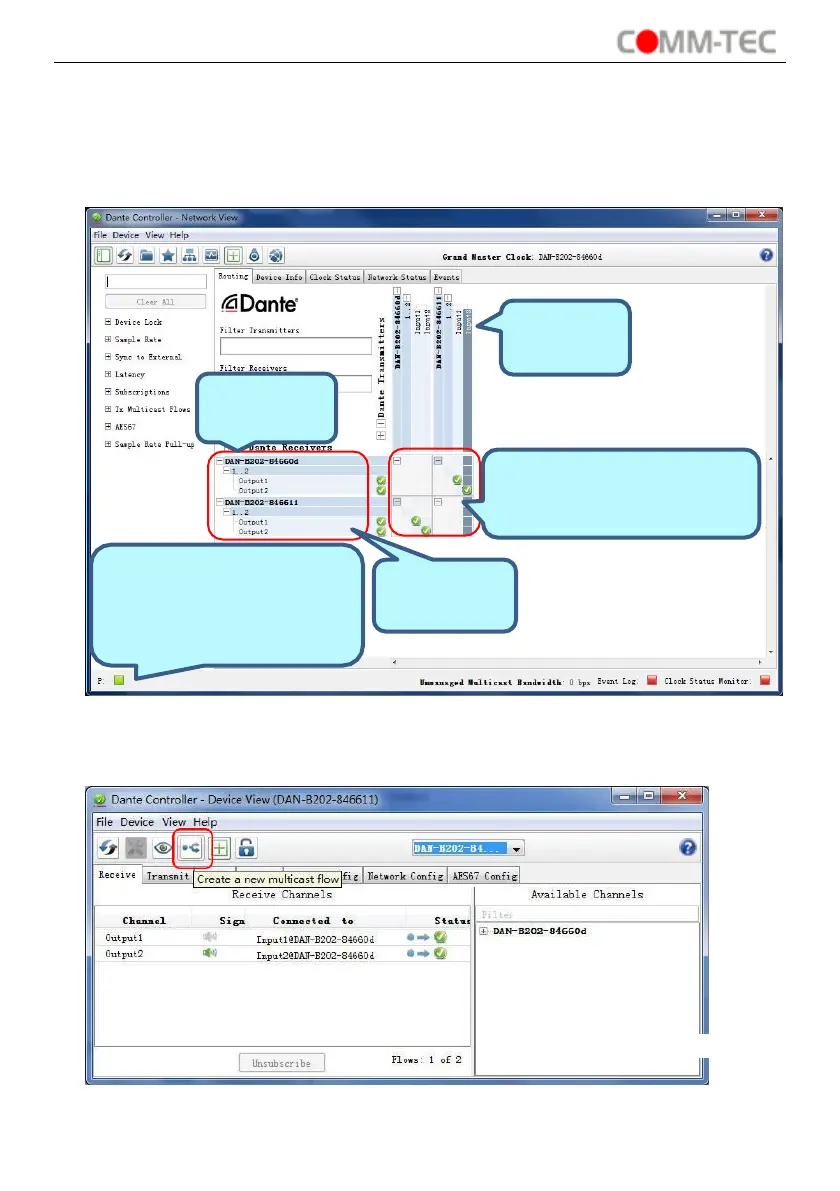
Routing configuration area. Click to
select or deselect the audio input
and its corresponding output.
The square turns green when the
DAN-B202 is linked successfully
by network. Wireless connection
and debug mode can be selected.
⚫
View device performance information, including latency statistics and packet errors
⚫
View clock status information for each device, including frequency offset history
and clock event logs
Overview of Dante Controller:
The default setting only supports 2 transmit and 2 receive flows, if more than 2
devices are needed, please click any device to enter Device View page.


 To Next Page