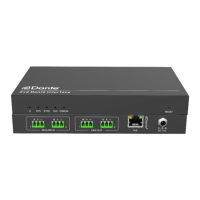
Dante interface 2x2
4. Operation of Dante Controller
Dante Controller is a free software application that enables to route audio and
configure devices on a Dante network. With automatic device discovery, one-click
signal routing and user-editable device and channel labels, setting up a Dante network
couldn’t be easier. See the overview for more detail on Dante audio networking.
Dante Controller is much more than just a configuration and routing matrix. Dante
Controller provides essential device status information and powerful real-time
network monitoring, including device-level latency and clock stability status, multicast
bandwidth usage, and customized event logging, enabling to quickly identify and
resolve any potential network issues. It can also quickly and easily backup, restore,
move, and reuse Dante network configurations using Presets, and edit Dante routing
configurations offline.
Dante Controller is available both for Windows and Mac OS X. It is open for registered
www.audinate.com users to download directly from the website.
Dante Controller allows to:
⚫
View all Dante-enabled audio devices and their channels on the network
⚫
View Dante-enabled device clock and network settings
⚫
Route audio on these devices, and view the status of existing audio routes
⚫
Connect to Dante Domain Manager and control enrolled devices
⚫
Lock and unlock Dante devices
⚫
Change the labels of audio channels from numbers to names
⚫
Customize the receive latency (latency before play out)
⚫
Save audio routing presets
⚫
Apply previous saved presets
⚫
Edit presets offline, and apply as configurations for new network deployments
⚫
View and set per-device configuration options, including:
✓ Change the device name
✓ Change sample rate and clock settings
✓ View detailed network information
✓ Access the device web page to upgrade firmware and license information
⚫
Identify a device for example by flashing LEDs
⚫
View network status information, including:
✓ Multicast bandwidth across the network
✓ Transmit and receive bandwidth for each device


 To Next Page