Dante interface 2x2
5. Operation of Web-UI
DAN-B202 can be controlled via web-based GUI. It allows users to interact with
DAN- B202 through graphical icons and visual indicators.
1) When Dante device connects with the computer directly and don’t change the
default IP address, please type 169.254.1.178 in your browser to access Web-UI.
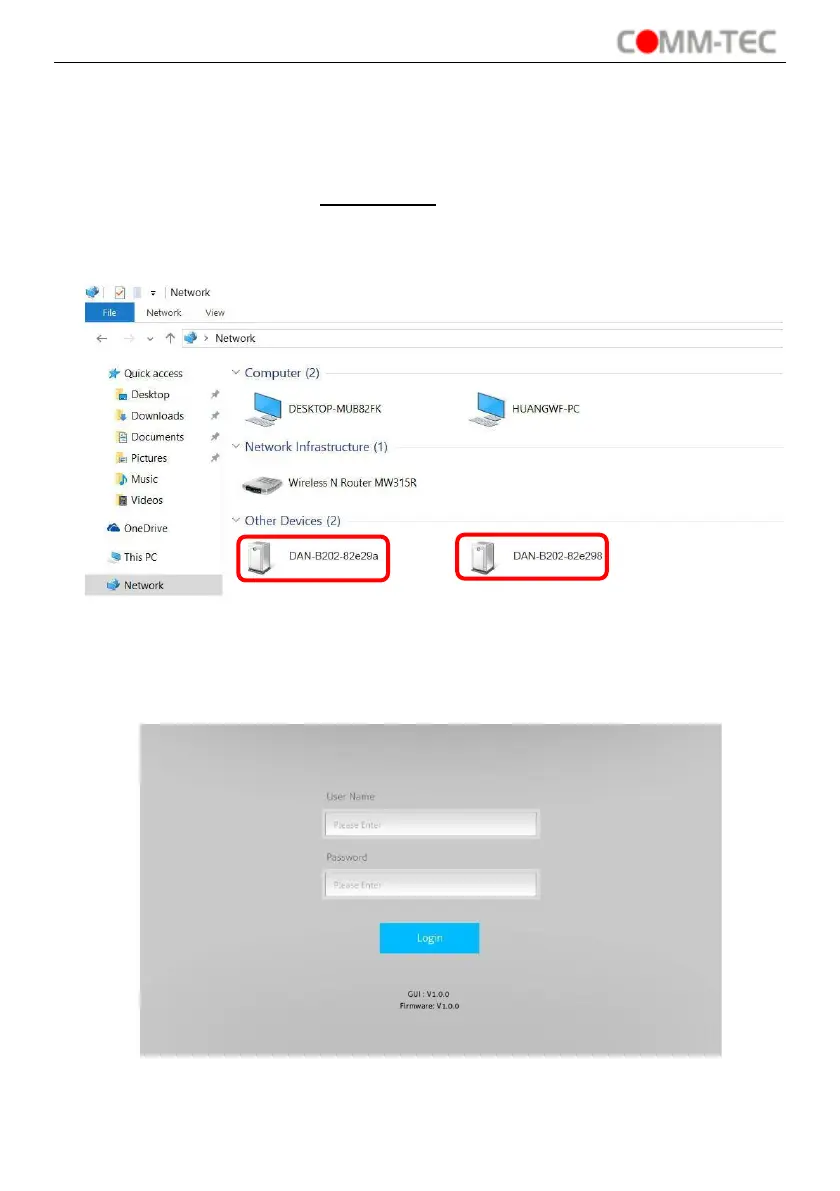
2) If Dante device is assigned IP address by router, please find the device in
Network page of the computer, then click the device to access Web-UI.
It will enter the log-in interface shown as below:
The default user name is “admin” and password is “admin”.


 To Next Page