34
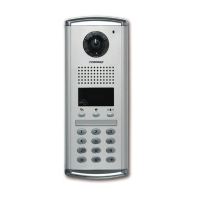
① Press Program Button "P".
② Press Management password.
③ Press Call Button "E".
④ Press "15" (number fifteen).
⑤ Press Call Button "E".
⑥ From a household unit, call security. The factory default household unit number appears
on the OLED display of the lobby phone. Please Press the actual unit number.
⑦ Press the actual unit number and press Call Button "E".
⑧ Press "0" (0 is Master lobby phone number. If multiple lobby phones are installed,
please Press the corresponding lobby phone number) and press Call Button "E".
⑨ On the OLED display, the unit number input mode appears.
⑩ By repeating 6, 7, 8, 9 procedures, other unit numbers can be registered.
⑪ As unit number registration is done press Cancel Button "X" to exit.
<References>
• This method applies to the case that it is possible to install Slave-
phones.
• Master-videophone's "Multi Sub Number" is number 0 (zero).
• Sub-videophone's "Multi Sub Number" is given between 1 and 9.
• Up to 10 videophones can be installed in a single household unit and
the "Multi Sub Numbers" shall not be overlapped.
• "Multi Sub Numbers" for sub-videophones shall be registered in
numerical order.
• At least one Master-videophone with "Multi Sub Number 0" must be
installed and if only one videophone is installed, it is considered as
Master-videophone (set as Multi Sub Number 0).
• In case that ADT-481 is installed, it does not register as Master unit.
• If sub-videophone is 485 system, its Master-videophone's Multi Sub
Number is 1 (one) and those of sub-videophones are between 2 and
9.



 To Next Page