47
SecuMAX Management
1. P-Management Password-E-18-E : Set to Door release by external information
forwarding to SecuMAX.
2
.
P-Management Password-E-22-E : Set to Door release by internal information
forwarding to SecuMAX.
3. P-Management Password-E-29-E : Set to be forced opening the Main Entrance door by
SecuMAX.
Door Release by Password
1. Unit Number-K-Unit Password-E : by Unit Password.
2. E-Building Password : by Building Password
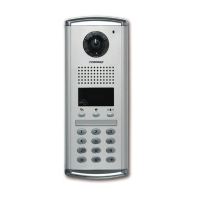
How to make a unit call and guard station call from a lobby phone
1. Press house number-E : to Household
2. S-Name Search-E : to Household
3. Press Number ‘9999’-E : to Guard Station
4. Name search-Select Guard-E : to Guard Station
Other settings
1. P-Management Password -E-5-E : Door Release Duration Setting
2. P-Management Password -E-6-E : Selecting Wiring Methods (04: Common 4 wires, 06:
Common 6 wires)
3. P-Management Password -E-7-E : Selecting Call Rings (00:MELODY, 01:BELL)
4. P-Management Password -E-20-E : Setting the Keypad LED Option
(00 : Only work when you used lobby phone)
(01 : Always On)
5. P-Management Password -E-21-E : Setting the Call by Unit Line
6. P–Management password–E–24–E : Setting the time to trigger the notice to be forced
door forwarding to SecuMAX
7. P-Management Password -E-25-E : Setting number of Call Rings
(00: continuous, 01: once)
8
.
P–Management password–E–27–E : Automatic calling function of guard station
configuration
9. P-Management Password -E-30-Beep Volume-Voice Volume-E : Setting the Volume of
Voice and Beep Sound



 To Next Page