EasyManua.ls Logo

Commodore A 2091-40 - Page 59

Commodore A 2091-40
75 pages
Print Icon
To Next Page IconTo Next Page
To Previous Page IconTo Previous Page
Loading...
The
A2091
Installation
Software
Disk
5-23
Click
on
this
box
to
go
to
the
File
System
Maintenance
screen.
This
screen
will
allow
you
to
add,
delete,
and
modify
File
Systems.
5.3.6
File
System
Characteristics
File
System
Characteristics
Partition
DEO
(ste
Fle
Ste
Automount?
"Yes.
Identifier
=
[052455356]
Reserved
blocks
at
Mask
=
beginning:
EZ]
MaxTransfer
=
end:
[C0]
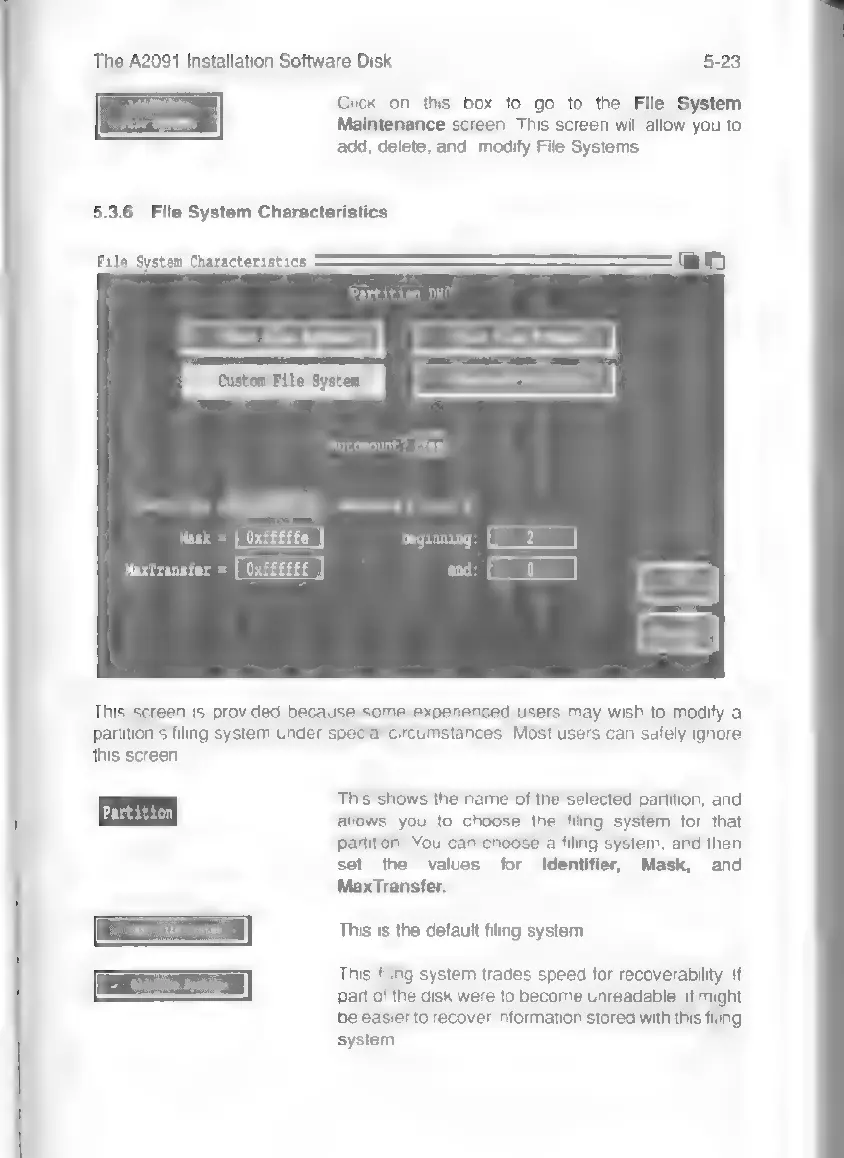
This
screen
is
provided
because
some
experienced
users
may
wish
to
modify
a
partition's
filing
system
under
special
circumstances.
Most
users
can
safely
ignore
this
screen.
This
shows
the
name
of
the
selected
partition,
and
à
e
A
allows
you
to
choose
the
filing
system
for
that
partition.
You
can
choose
a
filing
system,
and
then
set
the
values
for
Identifier,
Mask,
and
MaxTransfer.
Fast
File
System
This
is
the
default
filing
system.
This
filing
system
trades
speed
for
recoverability.
If
part
of
the
disk
were
to
become
unreadable,
it
might
be
easier
to
recover
information
stored
with
this
filing
system.