EasyManua.ls Logo

Commodore A 2091-40 - Page 64

Commodore A 2091-40
75 pages
Print Icon
To Next Page IconTo Next Page
To Previous Page IconTo Previous Page
Loading...
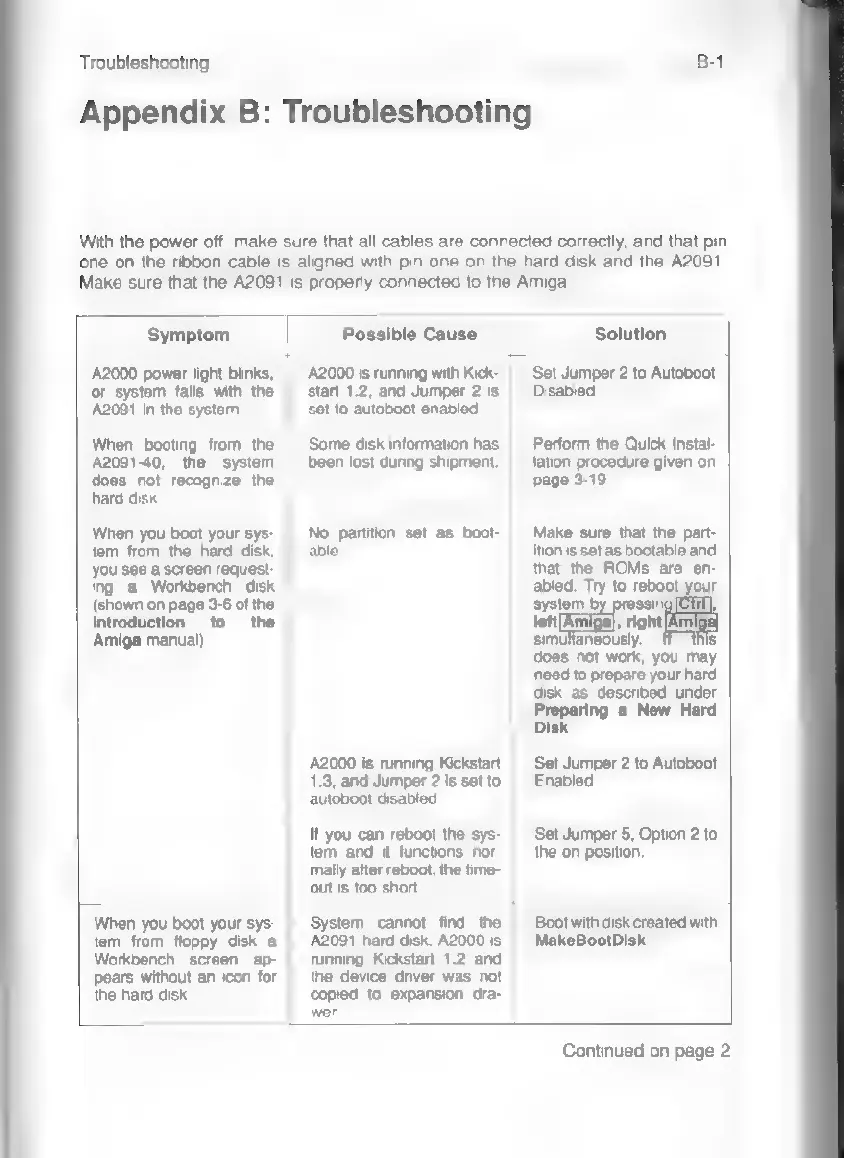
Troubleshooting
B-1
Appendix
B:
Troubleshooting
With
the
power
off,
make
sure
that
all
cables
are
connected
correctly,
and
that
pin
one
on
the
ribbon
cable
is
aligned
with
pin
one
on
the
hard
disk
and
the
A2091.
Make
sure
that
the
A2091
is
properly
connected
to
the
Amiga.
Symptom
Possible
Cause
Solution
A2000
power
light
blinks,
or
system
fails
with
the
A2091
in
the
system.
When
booting
from
the
A2091-40,
the
system
does
not
recognize
the
hard
disk.
When
you
boot
your
sys-
tem
from
the
hard
disk,
you
see
a
screen
request-
ing
a
Workbench
disk
(shown
on
page
3-6
of
the
Introduction
to
the
Amiga
manual)
When
you
boot your
sys-
tem
from
floppy
disk
a
Workbench
screen
ap-
pears
without
an
icon
for
the
hard
disk.
A2000
is
running
with
Kick-
start
1.2,
and
Jumper
2
is
Set
to
autoboot
led.
Some
disk
information
has
been
lost
during
shipment.
No
partition
set
as
boot-
able.
A2000
is
running
Kickstart
1.3,
and
Jumper
2
is
set
to
autoboot
disabled.
M
you
can
reboot
the
sys-
tem
and
it
functions
nor-
mally
after
reboot,
the
time-
out
is
too
short.
Set
Jumper
2
to
Autoboot
Disabled.
Perform
the
Quick
Instal-
lation
procedure
given
on
page
3-19.
Make
sure
that
the
part-
ition
is
set
as
bootable
and
that
the
ROMs
are
en-
abled.
Try
to
reboot
your
system
ressit
left
,
right
simufaneously.
g
does
not
work,
you
may
need
to
prepare
your
hard
disk
as
desoribed
under
Preparing
a
New
Hard
Disk.
Set
Jumper
2
to
Autoboot
Enabled.
Set
Jumper
5,
Option
2
to
the
on
position.
System
cannot
find
the
A2091
hard
disk.
A2000
is
running
Kickstart
1.2
and
the
device
driver
was
not
copied
to
expansion
dra-
wer.
Boot
with
disk
created
with
MakeBootDisk.
Continued
on
page
2