Key functions
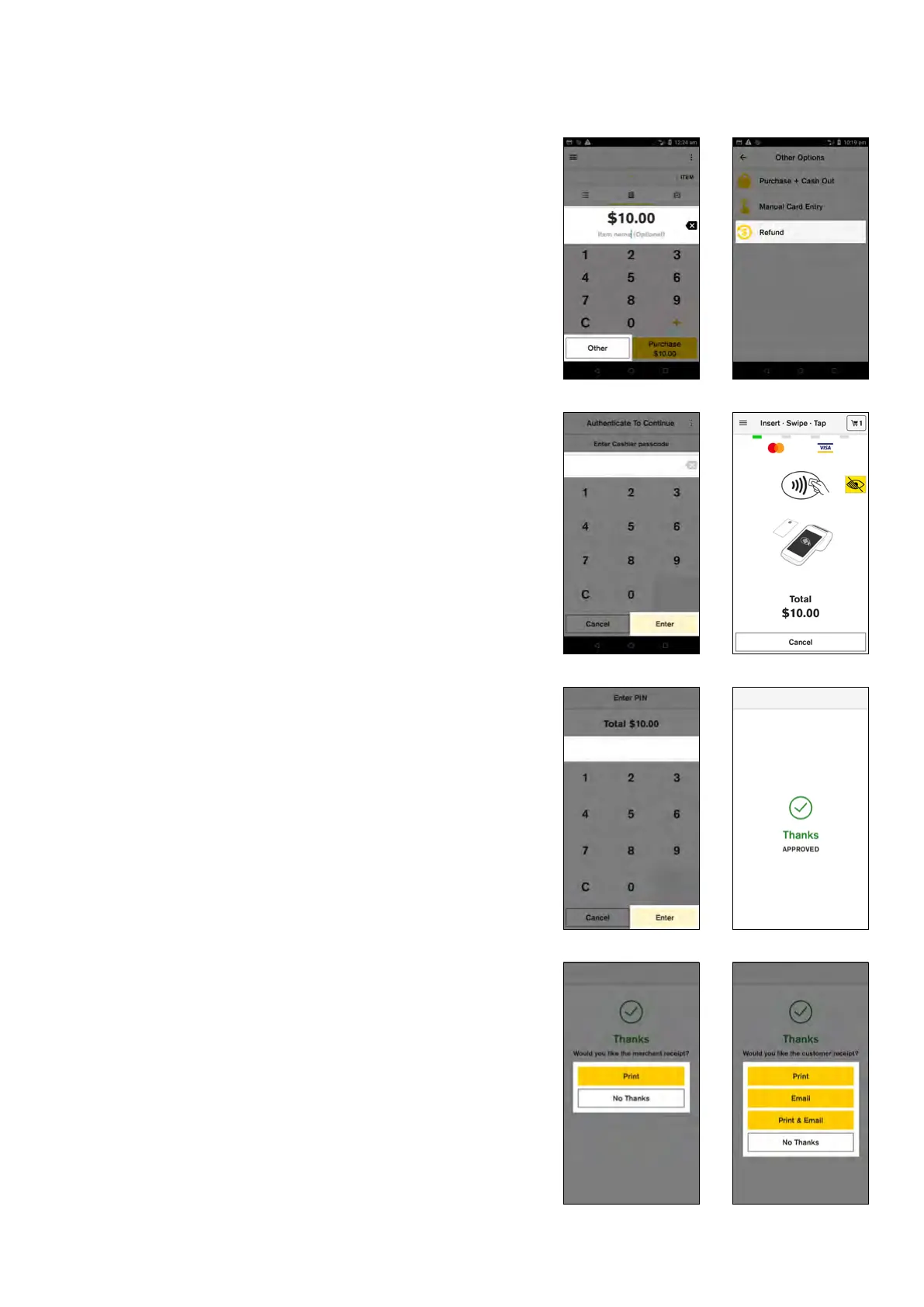
Refunds
1. Enter transaction amount
2. Tap ‘Other’
3. Tap ‘Refund’
4. Enter ‘Cashier’ or ‘Manager passcode’ and tap ‘Enter’
5. Tap Card or Mobile
6. Customer presents card or device and enters their
PIN (if required)
7. If the card was inserted, the terminal will prompt to
remove the card from the chip card slot
8. Merchant receipt prints
9. Select ‘Print’ to print a customer receipt or ‘No
Thanks’ to continue back to the Payment screen.
10 Commonwealth Bank of Australia | Smart User Guide



 To Next Page