Key functions
Passcode access
You will need technical assistance to apply passcodes
access to the other functions of your terminal
Once yourpasscodes are set upyou can apply passcode
access to:
• Connect Express settings
• Settlement
• Settlement History
• Settlement Pending Report
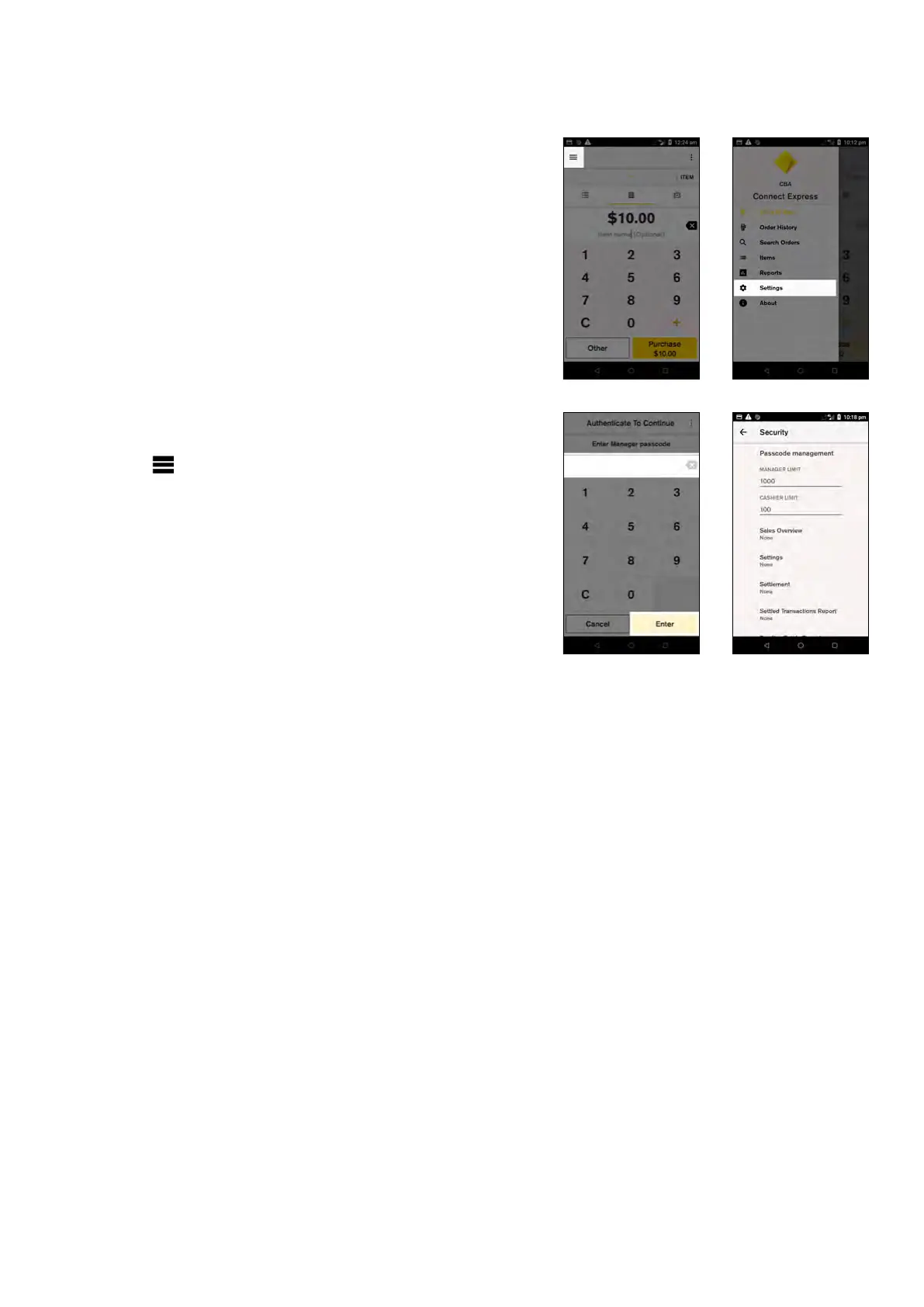
To apply passcodes to any of the above:
1. From the Payment screen, tap the hamburger
menu on the top left side of the screen and then
tap ‘Settings’
2. Tap ‘Security’
3. Enter the ‘Manager passcode’ to continue
4. Tap the function you want to assign passcode access
to
5. Select ‘Manager’ to assign manager passcode access
or ‘Cashier’ to assign cashier passcode access
NOTE:By default, passcodes are not required for any of
these functions.
11 Commonwealth Bank of Australia | Smart User Guide



 To Next Page