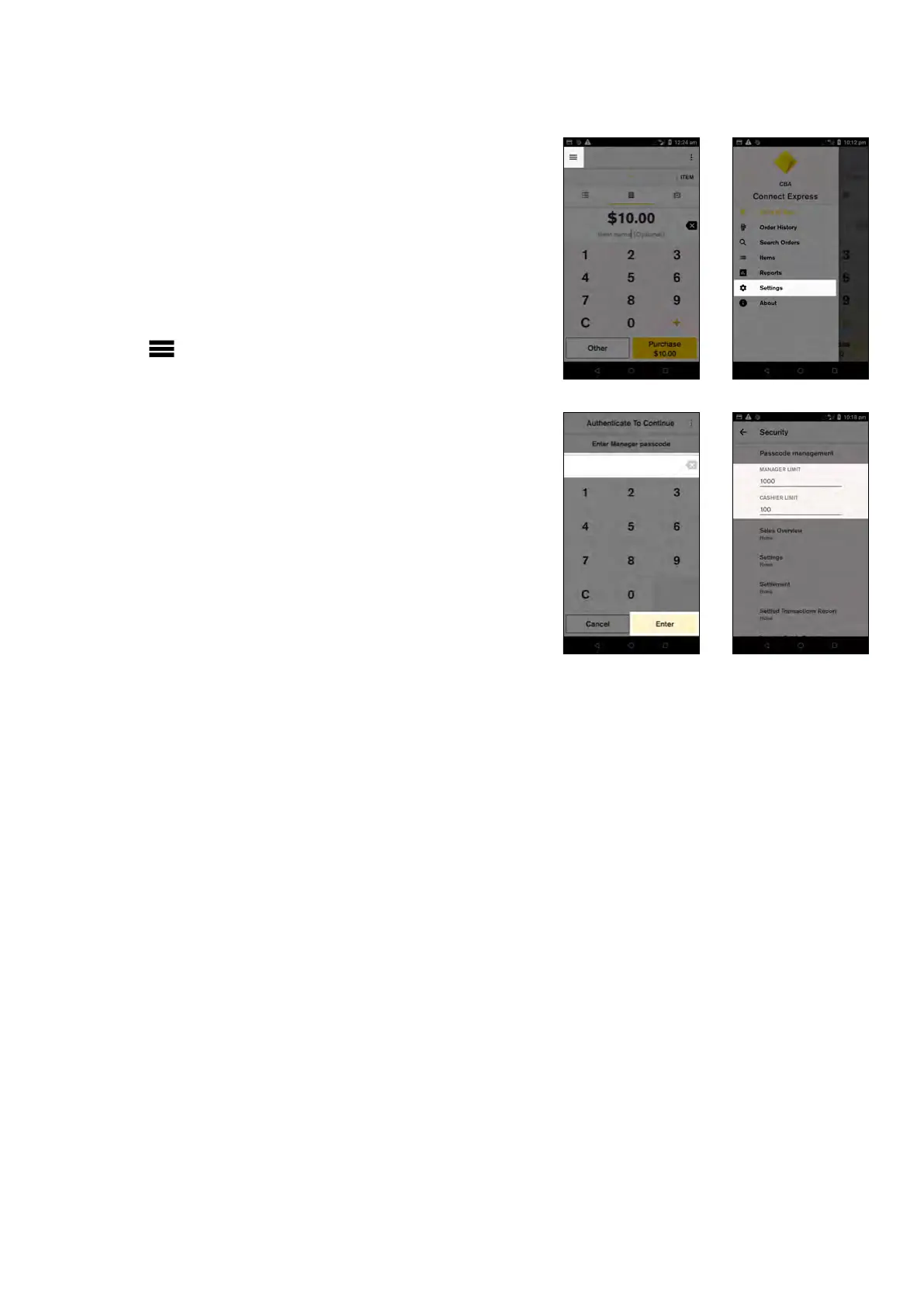
Changing your manager and cashier
refund limits
Set dierent refund limits for manager passcodes
and cashier passcodes to ensure that higher value
refunds are approved by a manager.
To change your manager and cashier limits:
1. From the Payment screen, tap the hamburger
menu on the top left side of the screen
2. Tap ‘Settings’
3. Tap ‘Security’
4. Enter your ‘Manager passcode’
5. Tap the fields under ‘MANAGER LIMIT’ and
‘CASHIER LIMIT’ to enter the refund limit you
want to set for each passcode
NOTE:You can set dierent per transaction limits
for managers and cashiers, however a daily refund
limit set by your Merchant Bank still applies. The
daily total will not be exceeded no matter what
per transaction limit you apply.
Key functions
12 Commonwealth Bank of Australia | Smart User Guide



 To Next Page