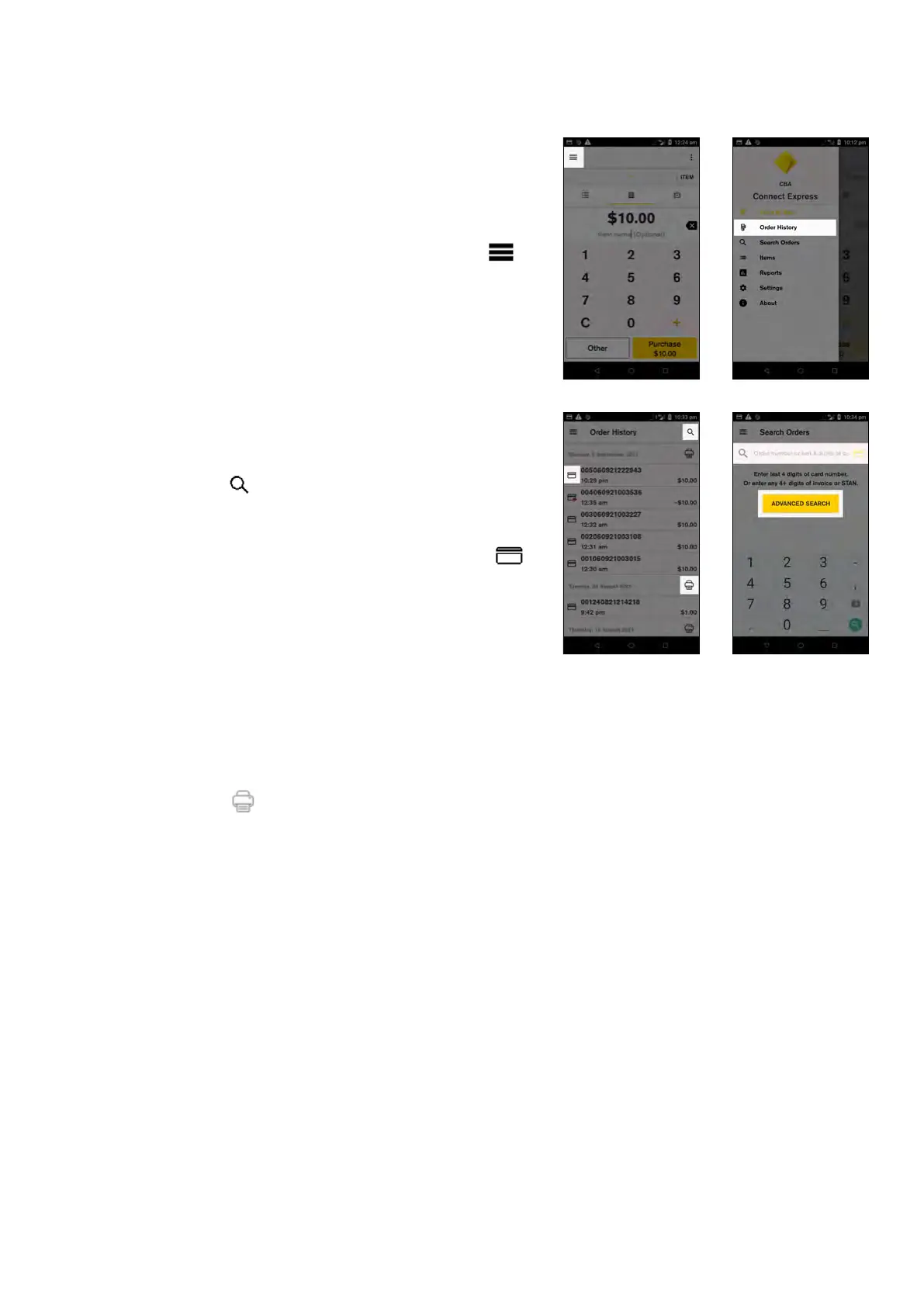
Key functions
Order History (Transaction History)
Access your Order History (up to 6 months of
approved transactions)
From the Payment screen, tap the hamburger menu
and then tap ‘Order History’. Transactions are organised by
transaction date. Tap a particular transaction to:
• View transaction details
• Reprint/resend the customer receipt
• Reprint the merchant receipt
• Or refund the transaction
Search and filter transactions
Tap the Search icon to filter transactions:
1. If you have the card the customer used for the
transaction you can enter the last 4 digits of the card
number into the search field, or tap the card icon
to swipe, insert or tap the card
2. If you have an EFTPOS transaction receipt enter any
4 or more digits from the TRAN number
3. Tap ‘ADVANCED SEARCH’ to search for a
transaction using additional details including exact
or approximate amount, date range, and transaction
type
View and print a transaction list
Tap the printer icon to view and print a detailed
transaction list for all transactions processed on that date.
Details included on this report for each transaction:
• Transaction time and amount
• Card number (only the last four numbers are visible)
• Card type i.e. Chip, Contactless Card etc. MOTO
transactions are listed as Manual
• TRAN number (the 6-digit TRAN number on the
receipt below the time)
• Transaction type i.e. Purchase, Cash Out, Refund
15 Commonwealth Bank of Australia | Smart User Guide



 To Next Page