Key functions
Settlement
Your Smart terminal will automatically settle at your
selected settlement cutover time each day, unless you
perform a manual settlement cutover prior.
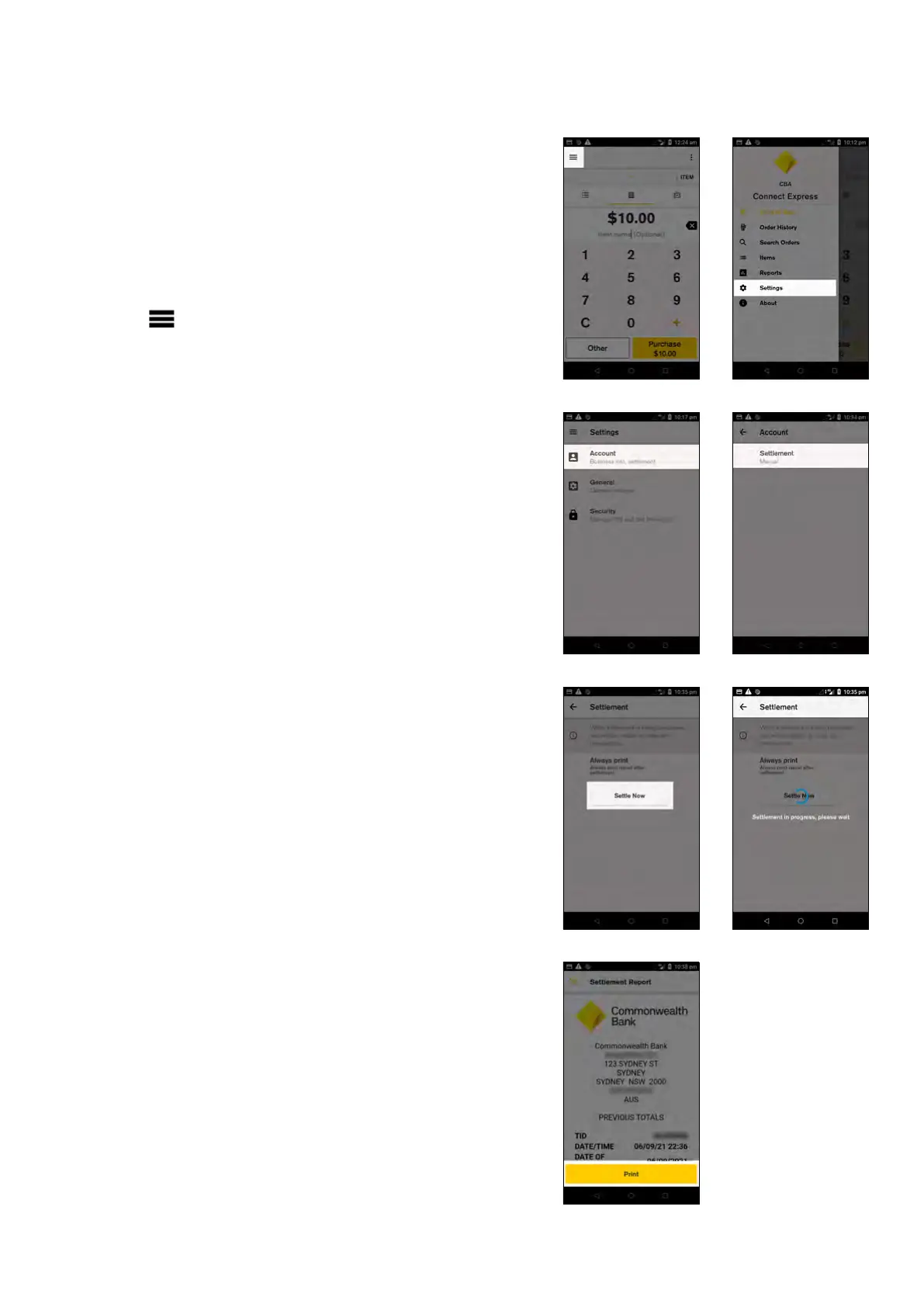
To manually perform a settlement cutover:
1. From the Payment screen, tap the hamburger
menu on the top left side of the screen
2. Tap ‘Settings’
3. Tap ‘Account’
4. Tap ‘Settlement’
5. Tap ‘Settle Now’
6. Settlement report will display on screen. Swipe up
to scroll through the report or press ‘Print’ to print a
settlement receipt
7. Your terminal will start a new settlement period
NOTE:If your business operates outside of typical trading
hours, you can configure a dierent settlement time by
calling our Helpdesk on 1800 230 177
16 Commonwealth Bank of Australia | Smart User Guide



 To Next Page