Basic troubleshooting
Switching from one carrier to another
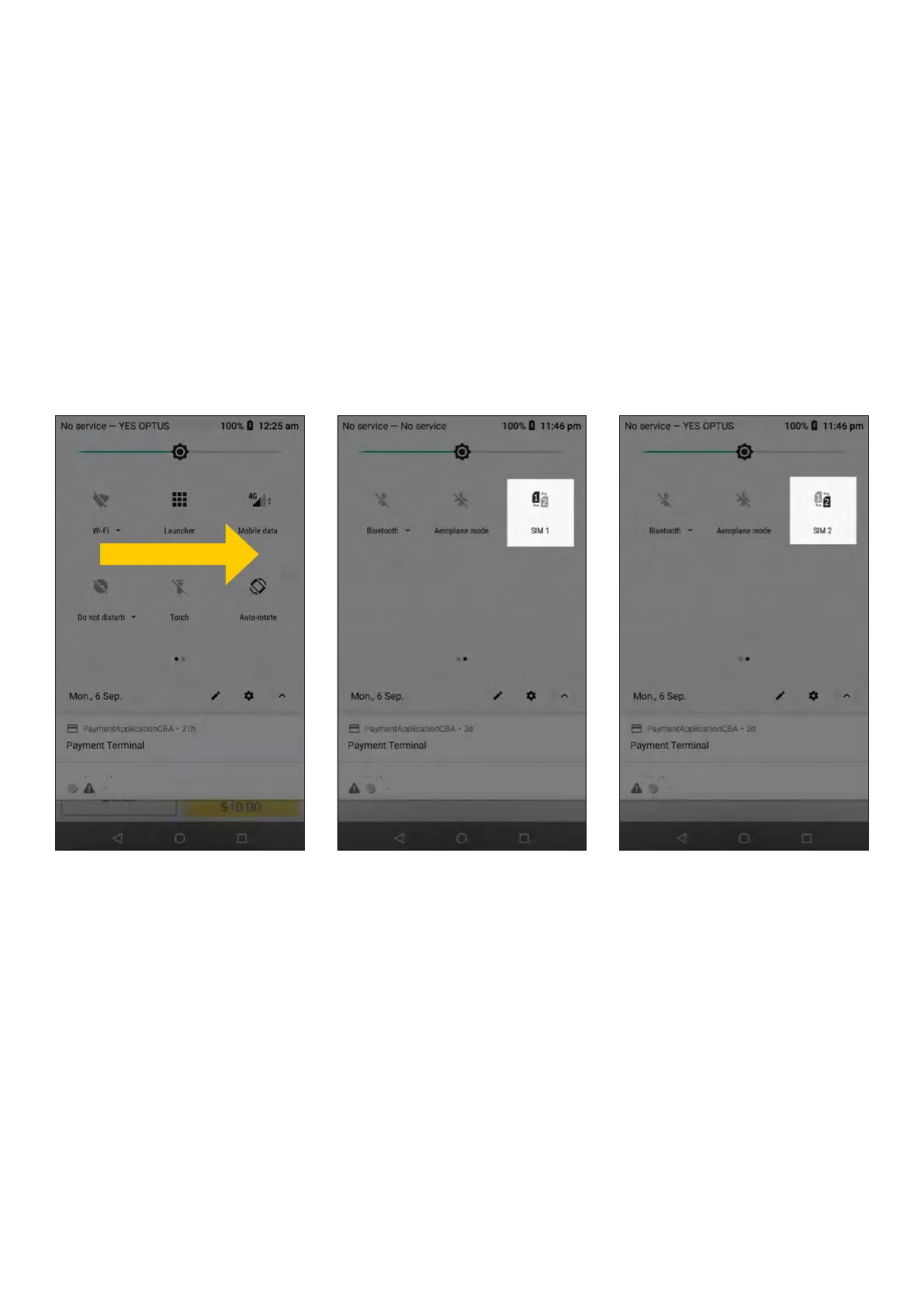
Navigate to the screen that displays SIMs
1. Put your finger on the top of the screen and drag your finger down the screen, do this twice
2. Swipe right for more icons
3. Simply tap on the icon displaying ‘SIM 1’. When tapping you will notice it will change to display
‘SIM 2’. When changed this will indicate that the carrier has been changed. Simply tap the icon
again to swap back to ‘SIM 1’
4. Check if terminal is able to logon and process transactions
5. If the issue persists contact the CommBank Merchant Helpdesk on 1800 230 177
31 Commonwealth Bank of Australia | Smart User Guide



 To Next Page