INS_CNFE2MC2C[/M]_REV–
01/18/12 PAGE 26
INSTALLATION AND OPERATION MANUAL CNFE2MC2C[/M]
Tech Support: 1.888.678.9427
Using TeraTerm Telnet Connection
As an easier solution, Telnet support of Teraterm can be used to connect a terminal window direct
to the contact over Ethernet module.
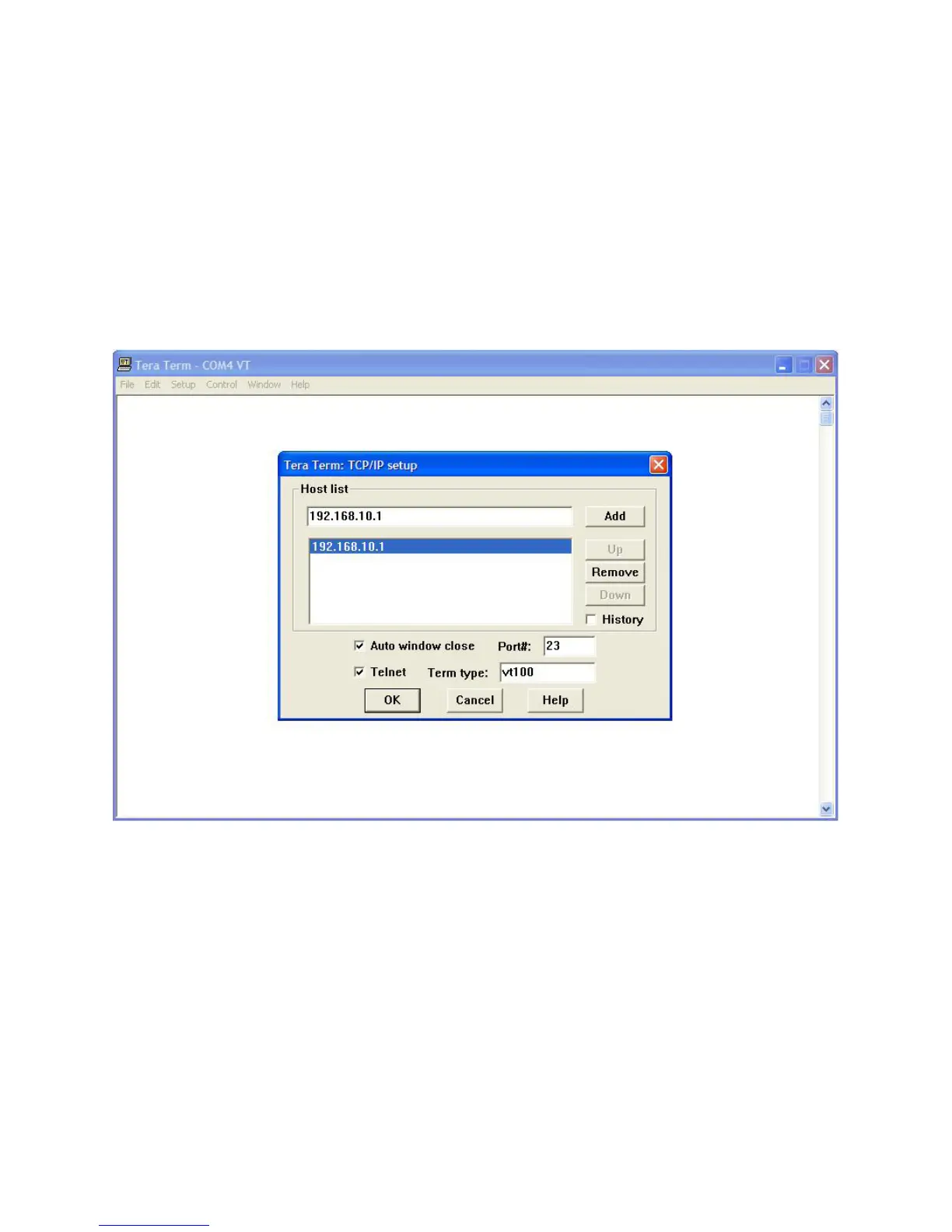
» Start the TeraTerm application. Check TCP/IP box, and type in the contact over Ethernet
module IP address 192.168.10.1. Click OK.
» The TeraTerm terminal window works similar to windows terminal window. Refer to Help of the
TeraTerm for its configuration details.
Figure 24 – Tera Term New Connection Dialog Box


 To Next Page