INS_NetWave_REV– 06/10/13 PAGE 42
INSTALLATION AND OPERATION MANUAL NETWAvE
TECH SUPPORT: 1.888.678.9427
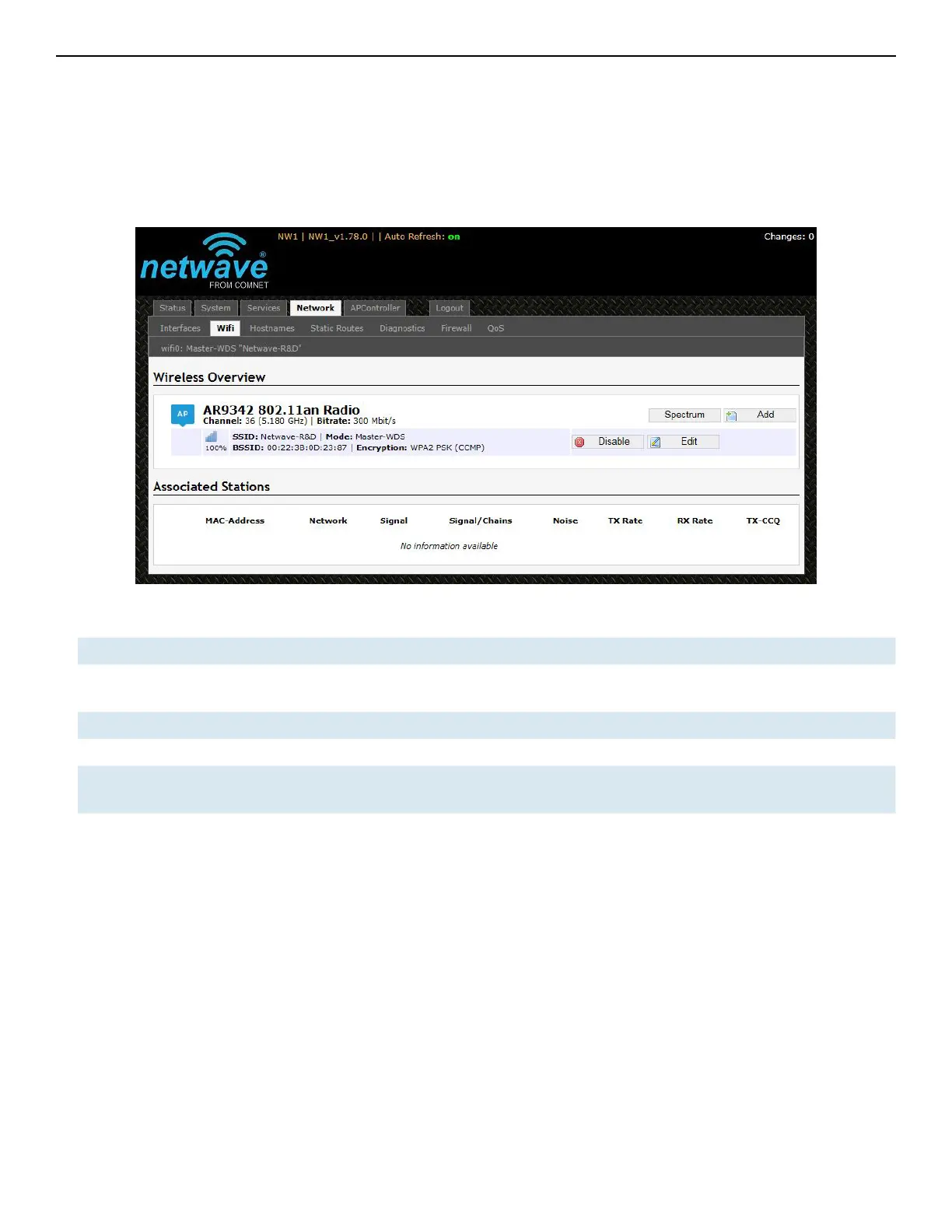
11.3 WiFi – Overview
Clicking on the Network » WiFi tab would bring you to the Wireless Overview page. This page
shows the radios present on the device. .
The wireless local area networks (WLANs) are displayed under each radio.
Figure 36: The Wireless Overview page showing one radio.
Spectrum Shows the Channel Scan Report and allows you to run the Interference Analyzer.
Add Allows you to add virtual access points (VAPs) to the radio. By default, there is only one VAP
on the radio. Each VAP corresponds to one network.
Enable Enables the radio.
Disable Disables the radio.
Edit Brings you to the configuration page of the network. Clicking this button is equivalent to
clicking the corresponding tab above.



 To Next Page