INS_NetWave_REV– 06/10/13 PAGE 46
INSTALLATION AND OPERATION MANUAL NETWAvE
TECH SUPPORT: 1.888.678.9427
11.4 WiFi – Wireless Network
As mentioned earlier, clicking on the Edit button for a network would bring you to the configuration
page. This page contains the sections Device Configuration and Interface Configuration.
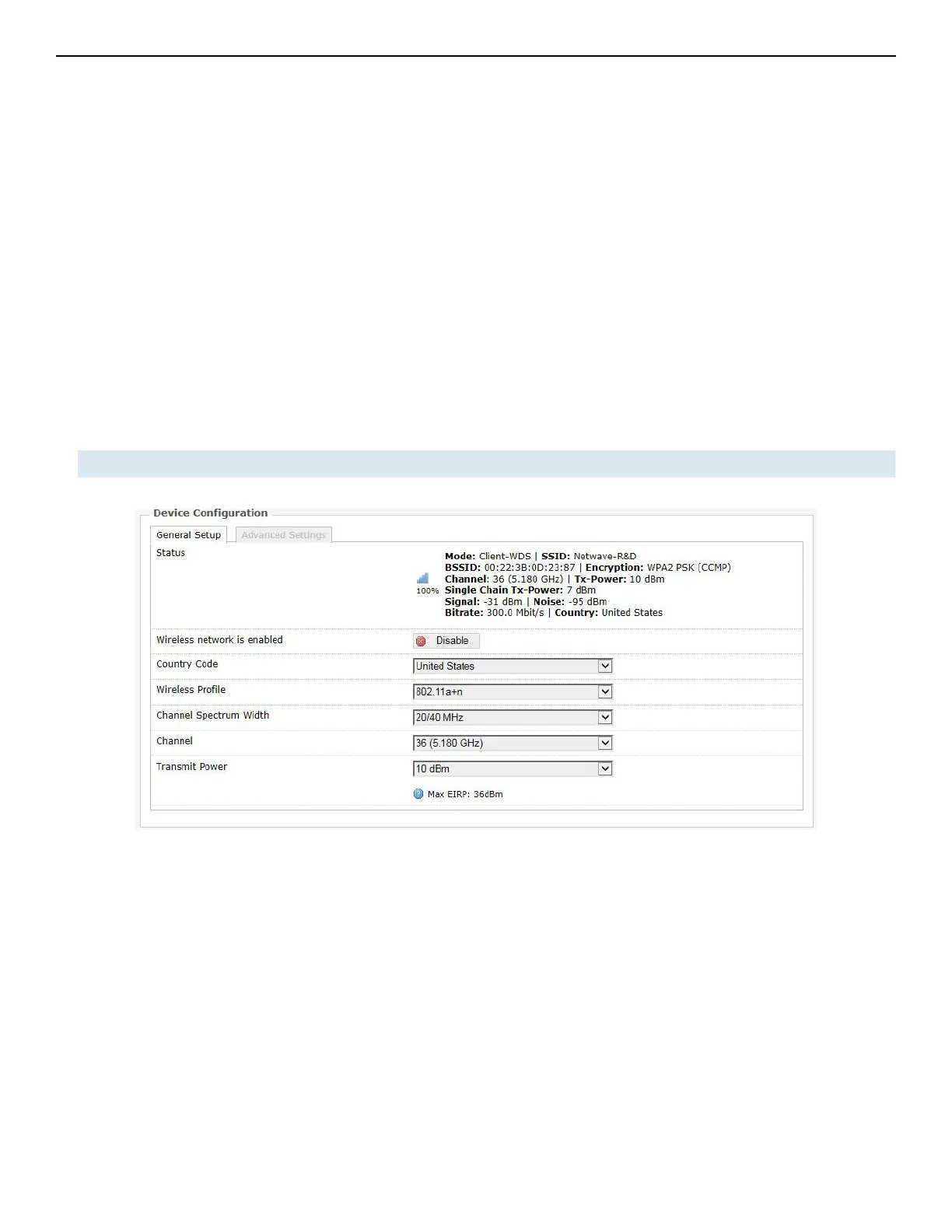
The Device Configuration section covers the physical settings of the radio hardware such as channel,
transmit power, or antenna selection. These are shared among all defined wireless networks of
the radio. Per network settings like encryption or operation mode are grouped in the Interface
Configuration.
11.4.1 Device Configuration
The Device Configuration section consists of the section tabs for General Setup and Advanced
Settings.
General Setup
Status Shows a summary of the wireless network.
Figure 40: The WiFi Device Configuration section.



 To Next Page