. . . . . . . . . . . . . . . . . . . . . . . . .
Using the Compaq Mobile CD Expansion Unit
3-5
Part Number: 235758-004 - Writer: Jim Williams - Saved by: Rebecca Wiggins
Saved date: 11/05/97 1:35 PM - File Name: Ch03.doc
Using the CD-ROM Drive
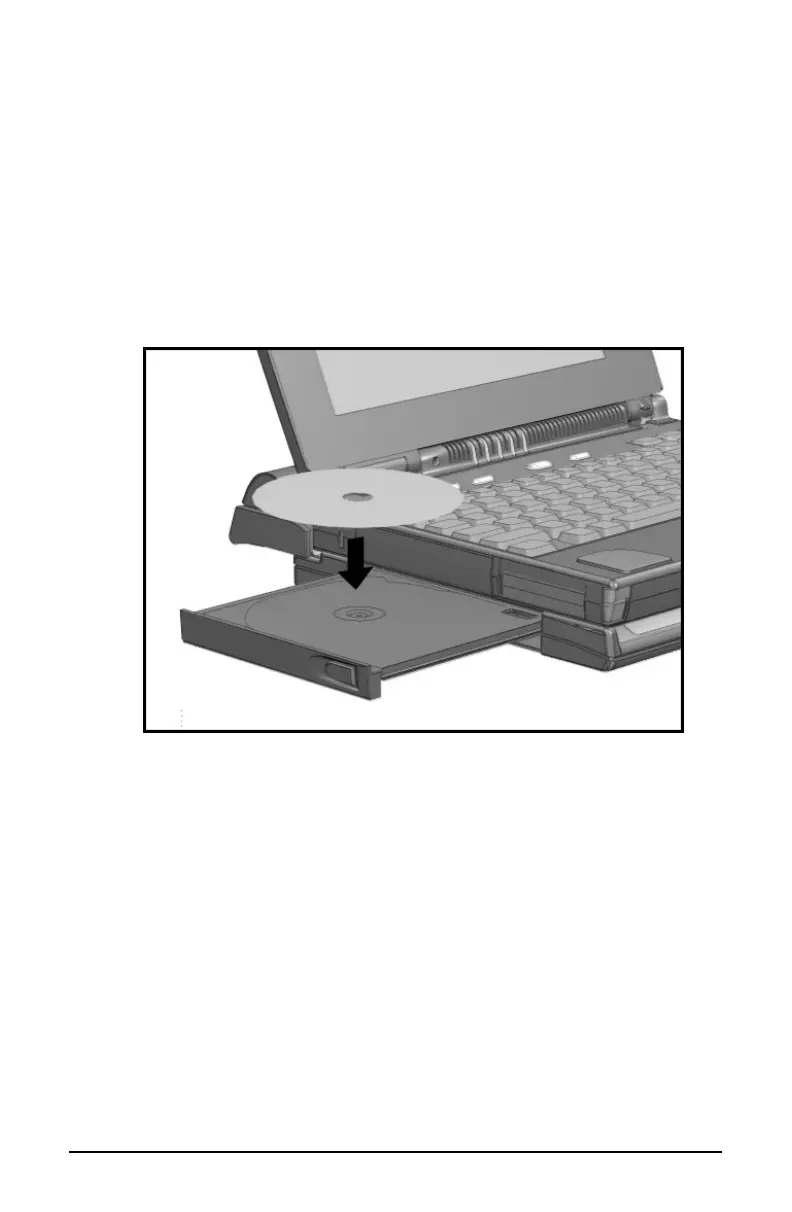
The MCD comes with an integrated CD-ROM drive. To place a CD
into the CD-ROM drive, follow these steps:
1. Press the CD-ROM drive tray release button to open the tray.
2. Gently pull the tray until it is fully extended.
3. Place a CD on the tray, label side up.
Placing a CD into the CD-ROM Drive
4.
Push the CD-ROM drive tray back into the drive to close the
tray. The CD-ROM drive will click when it is fully closed
.













 To Next Page