. . . . . . . . . . . . . . . . . . . . . . . . .
Using the Compaq Mobile CD Expansion Unit
3-7
Part Number: 235758-004 - Writer: Jim Williams - Saved by: Rebecca Wiggins
Saved date: 11/05/97 1:35 PM - File Name: Ch03.doc
Using the MIDI/Game Port
The MIDI/game port has two purposes:
■
To connect a joystick
■
To connect devices that use the Musical Instrument Digital
Interface (MIDI)
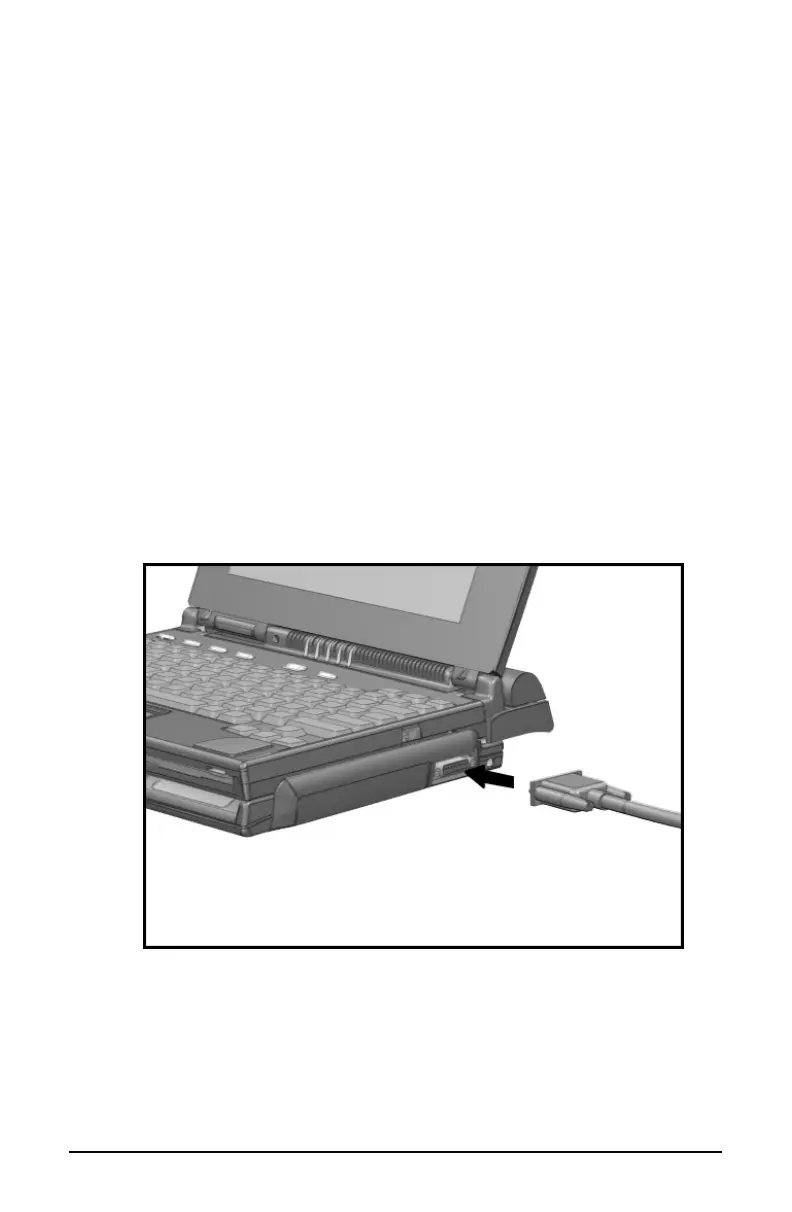
To connect a joystick or other device to the MIDI/game port, follow
these steps:
1. Plug the signal cable that comes with the equipment into the
device. This applies primarily to MIDI devices, because game
joysticks usually have the signal cable permanently wired.
2. Connect the other end of the signal cable into the MIDI game
connector on the MCD. Make sure both connectors are aligned.
3. If you are connecting a MIDI device, plug its power cord into a
grounded electrical outlet.
Using the MIDI/Game Port
NOTE:
MIDI-compatible devices require both an adapter to connect
to the MCD and application software to work. Refer to the
documentation that accompanies your MIDI device and its
application software for more information.













 To Next Page